Author: Sina Rahmannejad

  • Future Marketing Trends in 2025: Easy Tips to Stay Relevant

    Future Marketing Trends in 2025: Easy Tips to Stay Relevant

    I’ve been noticing how things have changed so rapidly over the past few years. All those new tools, social platforms, and digital habits have seriously redefined the way we connect with folks. I’m here to share real insights that I’ve picked up from my own experiences, friends, and business owners who are knee-deep in the marketing scene. I’ll do my best to keep the language relaxed and approachable, just like we’re having a friendly chat at our favourite coffee spot here in Canada.

    I know we all want straightforward info, so here’s the plan:

    1. We’ll look at some major shifts in marketing by 2025.
    2. We’ll talk about how businesses can grow with fresh approaches—whether you’re a local café, a startup, or a big name in your industry.
    3. I’ll sprinkle in stories, tips, bullet points, and examples that make it easy to skim.
    4. We’ll also have a quick FAQ section near the end, addressing some burning questions.

    So, grab a double-double or a simple black coffee, and let’s dig right in.

    1. The Ongoing Digital Shift

    It’s no secret that digital tools have changed the way we market. By 2025, folks expect brands to be right there when they hop online. Everyone’s scrolling their feeds or checking online reviews before buying anything—even if they plan to shop in person later. The old ways of relying on print ads or radio spots aren’t totally gone, but they’re just a small slice of the entire pie.

    Let me share a quick story: A good pal of mine runs a small bakery in Vancouver. A few years ago, she only posted the occasional photo on social media. Now, she’s using a full schedule of live streams, behind-the-scenes stories, and short videos to keep her community excited. The shift to digital gave her a direct pipeline to new customers beyond her neighbourhood. And honestly, that’s what it’s all about: meeting people where they are—in this case, online.

    Tips for thriving in the online space:

    • Optimize your website: Make sure it loads fast and looks sharp on mobile devices.
    • Stay consistent on social: Post regularly, respond to comments, and keep your tone casual yet helpful.
    • Experiment with new platforms: Keep an eye on emerging social apps. Who knows, your next group of customers might hang out there.

    2. AI and Machine Learning in Marketing

    Artificial intelligence is no longer the futuristic buzzword it used to be. By 2025, companies of all sizes can easily use AI-driven tools to figure out what customers want. Personalized product recommendations, chatbots that handle questions 24/7, and predictive analytics—these are all mainstream now. Even smaller businesses can tap into these technologies without blowing their budget.

    Back in 2018, a friend of mine who runs a small e-commerce shop felt overwhelmed by data. He stumbled on an AI-based platform that helps analyze user behavior. It broke down who’s buying what, what times they shop, and where they’re located. The result? He started tailoring product promotions to each user profile. Instead of sending generic emails to everyone, he targeted them individually. Open rates and sales went through the roof. By 2025, this kind of data-driven marketing has become the norm.

    Key AI features to consider:

    • Chatbots: Provide quick answers to routine customer questions, freeing up your team.
    • Predictive analytics: Spot Marketing trends and forecast sales so you can plan campaigns with solid insight.
    • User behavior analysis: Track what works and what doesn’t, then adjust on the fly.

    3. Personalization: A Must-Have

    When I think about marketing in 2025, personalization is front and center. People get bombarded with messages all day long, so a one-size-fits-all approach just isn’t going to cut it anymore. Whether you’re sending an email or a text message, folks expect it to feel like it was crafted for them.

    I remember chatting with a Toronto startup owner who sells eco-friendly household items. She noticed that certain customers mostly buy cleaning supplies while others focus on kitchen gadgets. She started segmenting her email lists. Now, people receive info and promos related to their interests. That little shift made her customers feel understood. It’s all about putting the right product in front of the right person at the right time.

    How to add a personal touch:

    • Segment your lists: Group customers by their interests, purchase history, or location.
    • Use names and personal details: A simple “Hey, Sarah!” goes a long way in an email.
    • Send timely offers: If you know someone’s birthday is coming up, a thoughtful discount can spark loyalty.

    4. Ethical and Privacy Concerns

    I’ve noticed more awareness about data privacy over the last few years, and it’s only growing stronger. Laws, guidelines, and general public sentiment have all pushed businesses to handle data responsibly. By 2025, if you’re not transparent about how you collect and use information, you’ll probably lose trust—fast.

    Companies need to be open about what data they gather and how they store it. Giving customers options to opt out of certain tracking is also wise. The last thing anyone wants is a news headline about a data leak. It’s not just a legal matter; it’s about treating your audience with respect.

    Ways to build trust:

    • Show clear policies: Share an easy-to-read privacy policy so people know where their info goes.
    • Ask for consent: Don’t bombard folks with marketing messages without their permission.
    • Secure your data: Regularly update and strengthen your cybersecurity measures.

    5. The Human Touch in Automation

    Automation is great. It makes repetitive tasks quicker, whether you’re scheduling social posts or sending welcome emails. But sometimes, too much automation can feel cold. People crave authentic conversation. I’ve chatted with folks who can immediately spot an auto-response. While they accept it, they also appreciate a real human following up later.

    By 2025, the trick is balancing streamlined automation with personal attention. That might mean using a chatbot for the initial chat, then having a live person jump in if the user’s question is more nuanced. Or it might mean automating your social media scheduling, but still hopping online to engage with comments in real-time.

    How to keep a human feel:

    • Use friendly language: Even in automated emails, sound like a real person.
    • Acknowledge confusion: If a question is complex, say you’ll connect them with a team member.
    • Don’t hide contact info: Make it super easy for people to speak to a real person if needed.

    6. The Rise of Short-Form Video

    Video has been growing for years, but short-form content is the star of 2025. People’s attention spans are short, and platforms that feature bite-sized clips are in high demand. Whether it’s quick tips, teasers, or product demos, short videos let you deliver your message before viewers scroll on.

    A friend of mine up in Edmonton runs a fitness coaching service. She used to post full workout videos on her channel, but found that short 30-second clips of easy exercise moves got way more engagement. People liked the quick hits of info, and they could replay them as needed without skipping around a longer video. It’s proof that sometimes less is more.

    Quick video tips:

    • Focus on one main point: Don’t overwhelm viewers with too many ideas in a single clip.
    • Use captions: Many folks watch videos on mute, so subtitles matter a lot.
    • Stay consistent with branding: Use the same fonts, colours, or style so people recognize you instantly.

    7. Micro-Influencers and Their Power

    Celebrity endorsements can still work, but I’ve noticed that micro-influencers often have tighter bonds with their followers. By “micro,” I’m talking about individuals with anywhere between a few thousand to maybe 50k or 100k followers. They might not have the massive numbers, but their communities trust them because they’re relatable.

    Take my cousin in Calgary who’s into home décor. She has about 20k followers, which isn’t huge, but her audience loves her genuine reviews of local décor shops. When she features a new item, her followers are likely to check it out. Brands have caught on that these smaller voices can have a big impact in niche markets.

    Working with micro-influencers:

    • Look for authenticity: Check if their content feels genuine, not forced.
    • Discuss terms clearly: Set expectations for what they’ll post, how often, and any payment or free product arrangement.
    • Long-term relationships: A consistent partnership often feels more genuine than a one-off post.

    8. Niche Marketing Takes Center Stage

    I’ve always found it cool how niche markets can create super loyal followers. By 2025, I see more businesses zeroing in on smaller groups rather than trying to speak to everyone. With so many brands out there, focusing on a specific audience can really help you stand out.

    For example, I know a man in Ottawa who set up an online store just for high-quality pet accessories, mainly for large breeds. He realized that giant dogs often have special needs that typical pet stores don’t address. By serving that niche, he built a loyal fan base. He even started a newsletter with tips for caring for larger dog breeds. Customers felt like he was speaking directly to them.

    How to dial into a niche:

    • Do your homework: Understand the unique pain points or desires of that group.
    • Create targeted content: Produce blog posts, videos, or social content that speak to their interests.
    • Engage with the community: Join online forums or local groups related to that niche.

    9. Social Commerce

    Social media used to be just a place to connect, share pictures, and chat. But come 2025, shopping directly through social platforms is as common as heading to your local mall. People see a product in a post, tap a button, and buy it right away. This seamless purchase experience can be a game-changer for businesses.

    A local clothing boutique in Halifax started connecting their online shop with their social accounts. Customers could buy the featured item without leaving the app. The boutique’s sales spiked, and they discovered that folks appreciated the instant buying option. It cut down on friction and turned casual browsers into real customers.

    Making social commerce work:

    • Set up a clear product catalog: Make sure product images, descriptions, and prices are up to date.
    • Offer exclusive social deals: Encourage followers to shop directly on the platform by offering special discounts.
    • Streamline checkout: The fewer steps it takes to buy, the better.

    10. Voice Search Optimization

    If you ask me, voice assistants have come a long way. Whether you use your phone’s built-in assistant or a smart speaker, voice search is a daily habit for tons of people. By 2025, an even larger slice of searches will be voice-based. That means your website content should be ready for questions like “Where can I find the best sushi in Toronto?” or “What’s the cheapest furniture store near me?”

    This isn’t just about keywords typed into a search bar. It’s about how real people talk. So, try weaving more natural language into your content.

    Tips to get voice-search-friendly:

    • Use conversational language: Write headings that match what people might say out loud.
    • Focus on local SEO: Voice searches often include “near me” or specific location terms.
    • Answer questions directly: A short, to-the-point answer can get featured in voice results.

    11. Interactive Content

    By 2025, interactive elements have become commonplace in marketing. It could be quizzes, calculators, polls, or mini-games. Why does this matter? Folks love to engage with brands in a fun, hands-on way. When they interact, they’re likely to remember you later.

    My friend works at a tourism board in Quebec, and they hosted an online quiz titled “Which Quebec City Experience Suits You Best?” People shared their quiz results on social media, sparking curiosity among others who then took the quiz themselves. It was not only fun but also boosted brand awareness in a big way.

    Some interactive ideas:

    • Personality quizzes: Let users find out their “style” or “type,” then recommend products.
    • Calculators: Show them how much they might save or how long something lasts.
    • Polls: Ask for opinions on upcoming launches, making your audience feel involved.

    12. Community Building and Brand Loyalty

    I’ve always believed that loyal customers are worth their weight in gold. By 2025, companies are doubling down on community-building efforts. When people feel like they’re part of a group, they’re more likely to stick around and tell their friends about you.

    A buddy in Winnipeg runs an online board game shop. He set up a Facebook group for board game fans, where they swap tips, unboxing photos, and suggestions. He occasionally pops in to answer questions, but mostly the group runs itself. This sense of community has transformed his occasional customers into raving fans who not only buy more games but also spread the word.

    Ways to grow a community:

    • Start a private group: Whether it’s on social media or a forum, let customers connect.
    • Host online meetups: Casual hangouts, Q&A sessions, or tutorials can spark real friendships.
    • Encourage user-generated content: Share customer stories, photos, or reviews on your main channels.

    13. Sustainable Marketing

    Here in Canada, I see a big push for environmental responsibility. People want to support businesses that reduce waste, source ethically, and promote greener practices. By 2025, that Marketing trend has grown stronger. Marketing that highlights genuine eco-friendly steps feels honest and wins trust.

    Think about a coffee shop chain that decides to use compostable cups, local beans, and reduce single-use plastics. Sharing that journey on social media or in-store signage often resonates with customers. But it’s crucial that it’s not just a pretty claim; it has to be backed by real action. If you’re serious about it, people will notice.

    Eco-friendly steps to consider:

    • Reduce packaging: Look into biodegradable or recyclable materials.
    • Highlight local partnerships: Support local farmers or artisans and share those stories with your audience.
    • Transparency: If you make mistakes, own up to them. People appreciate honesty.

    14. Omnichannel Marketing

    The concept of serving customers on multiple channels has been around, but by 2025, it’s even more important. Whether someone’s browsing your website, messaging you on Facebook, or visiting your physical store, they expect a consistent experience. One slip in communication and you can lose a sale.

    For instance, if your online store says an item is in stock, but the physical location says it’s sold out, that’s a problem. Or if someone chatted with your support team on social media, and then calls your helpline and has to repeat all the details, that’s frustrating. Getting it right means your customer feels you’re truly organized.

    How to keep your channels aligned:

    • Use centralized data: Keep track of inventory, orders, and customer interactions in one place.
    • Offer consistent branding: Same logos, tone, and style across all channels.
    • Train your team: Ensure everyone knows how to handle customer inquiries seamlessly.

    15. AR and VR Are More Common

    Augmented reality (AR) and virtual reality (VR) sounded like sci-fi not too long ago, but now they’re in everyday marketing strategies. By 2025, it’s pretty normal to offer a virtual try-on for clothes or let users preview furniture in their living room using AR. It’s all about giving people a feel for the product before buying.

    I’ve seen a local eyewear brand in Toronto let customers “try on” glasses virtually. You just upload a photo or use your camera, and you can see how different frames might look. That level of interaction can reduce returns and boost confidence in a purchase.

    Ideas for AR/VR use:

    • Virtual tours: If you run a hotel or event space, give a 3D walk-through.
    • Try-before-you-buy: Let shoppers see how clothing, makeup, or accessories look on them.
    • Interactive games: Create a small AR experience to show off new products or promotions.

    16. Content Remains King (But Quality Matters More)

    You’ve probably heard “content is king” plenty of times. By 2025, it’s still true—just cranked up a notch. Everyone is creating content, but not all of it is good. People can tell when something’s slapped together. Quality content—whether it’s blog posts, videos, or social stories—builds trust.

    A friend of mine who owns a small digital marketing agency in Montreal swears by consistent, well-researched blog posts. Her clients who put out valuable, trustworthy content see better search rankings and more engagement. It’s not about pumping out 10 blogs a week; it’s about publishing solid pieces that answer real questions.

    Content tips:

    • Plan ahead: Create a content calendar so you don’t scramble for ideas last minute.
    • Focus on value: Help solve a problem or share fresh insight. Don’t just fill space.
    • Vary formats: Mix up videos, infographics, podcasts, and written posts.

    17. The Importance of Email in 2025

    Email might be considered old-school compared to flashy social apps, but it still drives impressive results. By 2025, email marketing is more personalized, automated, and interactive than ever. People check their inbox often, especially for deals, coupons, and news they care about.

    I recall a restaurant owner in Regina telling me how an automated welcome series changed everything. A new subscriber would get a quick thank-you email with a discount code. Then a few days later, a friendly follow-up with chef’s specials. Then a week later, an invitation to a VIP tasting event. That sequence built anticipation and trust, leading to more reservations.

    Email marketing pointers:

    • Segment lists: Send relevant messages to different groups.
    • Automate where possible: Welcome emails, birthday discounts, cart-abandonment reminders, etc.
    • Keep it short and sweet: People scan emails, so be concise and clear.

    18. User-Generated Content Takes the Spotlight

    People trust recommendations from each other. By 2025, brands are encouraging more user-generated content (UGC). Whether it’s customer photos, reviews, or testimonials, UGC shows that real people love what you offer. That sense of social proof is often more persuasive than fancy ads.

    A small skincare brand in Nova Scotia asked customers to share before-and-after shots and tag them on social media. The brand then reposted the best ones (with permission). These authentic photos helped convince new followers to give the products a try. It felt more real than a shiny photo shoot with professional models.

    Encouraging user-generated content:

    • Run contests: Ask followers to submit content with a branded hashtag.
    • Feature the best entries: Put them on your website or social channels.
    • Reward participation: Offer discounts or special shout-outs to loyal fans.

    19. Chat Marketing and Conversational Commerce

    People want answers right away. By 2025, chat-based marketing—using tools like Messenger or WhatsApp—has become super common. It’s not just for customer support. Brands also send personalized promos or updates directly through chat apps.

    I’ve seen a local travel agency in Toronto use a chat-based system to share last-minute deals. They’d blast out a message like, “Hey, here’s a special on flights to Calgary for the weekend—50% off if you book by midnight.” Because the message was direct and time-sensitive, folks jumped on it. It’s a different vibe than email, often feeling more personal. But remember, always get consent before sending any marketing messages through chat.

    Chat marketing basics:

    • Keep it short: People don’t want long paragraphs in a chat window.
    • Add a friendly tone: “Hi, Sarah! We’ve got news for you!” feels better than “Attention, customer.”
    • Allow easy opt-outs: Make it simple for users to stop receiving messages if they want.

    20. The Shift to Authentic Storytelling

    Whether it’s a small local business or a multinational corporation, there’s a clear preference for genuine stories. By 2025, brand storytelling that feels honest connects more effectively than overproduced ads. People want to see behind-the-scenes moments, real employees, and genuine accounts of how the product or service was created.

    I remember watching a mini-doc by a local farm in Manitoba. They shared how they sustainably grow produce, the challenges they face, and the people behind the scenes. There were no corporate bells and whistles—just real footage and honest narration. I found myself oddly drawn in, and I’m not even a big farming enthusiast. Authenticity just resonates.

    Building authentic stories:

    • Introduce your team: Show the faces and personalities behind your brand.
    • Share challenges and triumphs: It’s not always smooth sailing, and that’s okay.
    • Use multiple formats: Mix short social posts with longer documentary-style videos.

    21. Local SEO and Hyperlocal Marketing

    By 2025, local search optimization is more critical than ever, especially for brick-and-mortar shops. People want to find businesses nearby—be it a bakery, electronics store, or hair salon. Google My Business (or whatever it’s called by then) is a key platform for listing hours, photos, and reviews. Good reviews can bring in a ton of foot traffic.

    I’ve seen local shops in St. John’s ask happy customers to leave a quick Google review. With more reviews and updated photos, their store pops up at the top of local searches. It’s a simple step that some businesses still overlook, but it can pay off big time.

    Tips for local visibility:

    • Claim your business listings: Update your address, phone, hours, and photos.
    • Encourage reviews: Politely ask satisfied customers to rate you online.
    • Use local keywords: Mention your city, neighbourhood, or region in your web content.

    22. Data and Metrics Matter More Than Ever

    If you ask me, data-driven decisions will never go out of style. By 2025, the tools for gathering and analyzing metrics are more accessible, even for small operations. From email open rates to social engagement stats, everything can be tracked and measured. But the real key is knowing what to do with all that info.

    For instance, a small business owner in Saskatoon might notice their Facebook posts perform better at 8 PM than at 9 AM. They’d tweak their posting schedule accordingly. Or maybe their email click-through rate spikes when they include a discount code. That leads them to send more promotional emails. Data isn’t just numbers—it’s insight on what people actually respond to.

    Measuring what matters:

    • Focus on meaningful metrics: Engagement, conversions, and actual sales matter more than vanity stats.
    • Set clear goals: Whether it’s more web traffic or more leads, define what success looks like.
    • Adjust as you go: Don’t be afraid to pivot if the numbers tell you something’s off.

    23. Balancing Online and Offline

    Even though we’re living in a world that leans heavily online, brick-and-mortar experiences still matter a ton. By 2025, the trick is tying both worlds together. Some folks research online, then pick up in-store. Others discover new things in-store, then follow you on social. Keeping your messaging and branding consistent across these touchpoints is crucial.

    A clothing boutique in Yellowknife launched an online shop to reach customers who couldn’t make it to their physical store. They kept the same cozy vibe, posted in-store event photos on social, and offered an easy pick-up option for locals. This built a sense of unity between digital and physical experiences.

    Bringing it all together:

    • Offer in-store pick-up: Let local buyers save on shipping.
    • Promote your website in-store: Encourage visitors to follow you online for exclusive deals.
    • Align your look and feel: Use the same color palette, fonts, and tone everywhere.

    24. The Growth of Subscription Models

    By 2025, subscription-based services aren’t just for streaming shows. Now, we have subscription boxes for everything from snacks to makeup to pet toys. Why do people like them? Predictable costs, convenience, and the excitement of receiving something new every month.

    A colleague in Victoria launched a monthly subscription for artisanal coffee beans sourced from across Canada. His customers love the surprise of trying different roasts without having to reorder manually. This recurring model gives him a steady cash flow and helps with inventory planning.

    Tips for subscription success:

    • Make it unique: Offer something they can’t easily find in stores.
    • Keep it flexible: Let customers pause or cancel without hassle.
    • Add some perks: Exclusive discounts, early access, or community chats just for subscribers.

    25. Reinventing Customer Service

    Customer service is part of marketing too. By 2025, more brands are taking a proactive stance—reaching out to customers before problems arise. For example, if shipping is delayed, they might send an apology and a small coupon to offset the inconvenience.

    I recall an airline company that sent me a text update about a flight delay, plus a $15 voucher for the airport café. It turned a negative into a somewhat positive experience. By being one step ahead, they showed they cared about my time and frustration levels.

    Making customer care special:

    • Anticipate issues: If you see a big storm in your region, warn customers of delays.
    • Offer simple solutions: A coupon, a free extra, or a sincere apology can keep people happy.
    • Train all staff to be helpful: From social media managers to frontline workers, everyone should be ready to assist.

    26. Podcasts and Audio Marketing

    Podcasting has become a mainstay in content strategies by 2025. It’s not just big media companies creating episodes. Small businesses and personal brands can jump in too. If you have something meaningful to say or an interesting angle, a podcast can be a fantastic way to build an audience.

    My friend in Toronto started a podcast about eco-friendly living. She invites guests to discuss topics like zero-waste grocery shopping or green travel. She also plugs her online store that sells related products. It feels natural, as the podcast content aligns with her brand. If done right, audio marketing can be a relaxed way to showcase expertise and build trust.

    Launching a podcast:

    • Pick a niche: Focus on a specific topic or angle that’s relevant to your brand.
    • Keep it consistent: Weekly or bi-weekly episodes help listeners form a habit.
    • Promote on other channels: Share episode highlights on social media or in email newsletters.

    27. Gamification Strategies

    By 2025, businesses have found creative ways to gamify interactions. Think point systems, rewards, or friendly competitions that encourage engagement. This approach taps into people’s love of challenges and recognition.

    I once joined a local bookstore’s rewards program in Vancouver. Every time I purchased a book, I’d earn “reading points.” Once I collected enough, I’d get a discount on my next buy. They also had fun reading challenges like “complete five mysteries in a month,” with store credit for finishing. It made the shopping experience feel more interactive and kept me coming back.

    Ideas to gamify your marketing:

    • Point-based rewards: Let people accumulate points for buying, referring friends, or reviewing products.
    • Community challenges: Host contests or challenges with small prizes or public shout-outs.
    • Track progress: Show how close they are to the next reward, keeping motivation high.

    28. Collaborations and Co-Marketing

    Partnering with other brands can open the door to fresh audiences. By 2025, co-marketing campaigns are more frequent. Maybe a small chocolate company pairs with a local winery to create special gift baskets. Or a skincare brand teams up with a wellness coach for a limited-edition self-care kit.

    A local example I saw: a Toronto-based yoga studio teamed with a healthy meal delivery service. They offered a package deal of online yoga classes plus weekly meal boxes. Both brands reached new customers, and it felt like a natural pairing since both target folks interested in wellness.

    How to do co-marketing right:

    • Pick a complementary partner: Your audiences should overlap but not fully.
    • Plan shared promotions: Create special deals, bundle offers, or joint events.
    • Share the data: Compare notes on how well the campaign did and learn from each other.

    By 2025, new marketing trends pop up every other month. It can be intimidating, especially for small businesses that don’t have huge budgets or big teams. The key is to pick the trends that make sense for you. You don’t have to chase every shiny new thing. Focus on what aligns with your brand and audience.

    For example, a small bakery in Montreal might not need an augmented reality app. But they could use short-form videos showing recipe teasers or behind-the-scenes dough prepping. They might also benefit from partnering with local micro-influencers. It’s about picking the right moves for your unique situation.

    Staying sane with trends:

    • Watch your audience: Are they talking about a specific platform? That might be where you need to be.
    • Test on a small scale: Dip your toes in before you invest a lot of time or money.
    • Evaluate results honestly: If it’s not working, move on.

    30. Pulling It All Together

    We’ve covered a lot—everything from personalization and AI to community building and ethical marketing practices. By 2025, marketing is much more about connecting with people in ways that feel real. The best strategies aren’t always the flashiest; they’re the ones that make folks feel seen and respected.

    I like to think of marketing as a conversation. When I’m talking to a friend, I don’t just shout about how awesome I am. I listen, I share genuine stories, and I figure out how I can help. In the same way, marketing in 2025 is about building relationships over time, using the tools and techniques that suit your brand, and staying open to changes that can help you reach your goals.

    Marketing in 2025 is the journey that ties all these threads together, connecting businesses with the right folks in meaningful ways.


    Frequently Asked Questions

    Q: How do I start using AI for my small business?
    A: Look for user-friendly tools that fit your budget—maybe an email marketing service with AI features or a chatbot plugin for your website. Start with one or two features, see how they work, and grow from there.

    Q: Should I invest in video marketing or podcasting first?
    A: That depends on your audience’s preferences. If they love video and short clips, lean into that. If they enjoy longer discussions and might listen while commuting, consider a podcast. Or try both in small test runs.

    Q: Is email marketing still effective by 2025?
    A: Absolutely. People still check their inbox daily. The key is making emails relevant and appealing, not generic spam. Use segmentation and personal touches to stand out.

    Q: How can I build trust if I’m new to the market?
    A: Be transparent, offer a solid guarantee or return policy, and encourage reviews from satisfied customers. Share behind-the-scenes glimpses of your process or production. Authenticity can go a long way in establishing trust quickly.

    Q: Do I need to hire a specialist for social media?
    A: It depends on your time and resources. If social media is core to your marketing strategy, a dedicated specialist or agency can help you be more strategic. If you have the time and willingness to learn, you can handle it in-house, at least initially.

    Q: How do I manage so many channels without getting overwhelmed?
    A: Start small. Focus on the few channels where your audience is most active. Use scheduling tools and batch your content creation. As you grow, you can add more channels or hire help.

    Q: What if AR or VR doesn’t fit my brand?
    A: Don’t force it. Some industries benefit more from AR/VR than others. If your audience would find value, give it a try. If not, direct your energy elsewhere.

    Q: How do I handle data privacy?
    A: Be upfront. Inform users about what data you collect and why. Offer easy opt-out methods, keep data secure, and follow local regulations. If you’re not sure, consult a privacy expert.


    That’s a wrap on our deep look at marketing in 2025. I hope these insights spark some ideas or confirm that you’re on the right path. Times are always shifting, but at the end of the day, it’s about connecting with your audience in a genuine way. When you keep an open mind, treat people with respect, and stay curious about new trends, you’ll be in a great spot to make the most of marketing in 2025.

  • How to Start a Podcast for Free 2025: The Ultimate Step-by-Step Guide!

    How to Start a Podcast for Free 2025: The Ultimate Step-by-Step Guide!

    If you’ve been itching to start a podcast and you’re on a tight budget, you’re in the right place. This article will break down everything you need—tools, tips, and insider know-how—to start a podcast for free. Whether you’re planning your first podcast in your living room or dreaming of a good podcast setup that doesn’t cost an arm and a leg, I’ve got your back.

    Why is this worth reading? Because I’m going to share practical ways to start a podcast for free, find a good podcast microphone (or a workaround if you can’t afford one), and get that first podcast episode out into the world. From brainstorming your podcast topic to getting listed on apple podcasts and spotify for podcasters, let’s keep it simple and fun. No fancy words, no complicated steps—just straightforward advice, like chatting over coffee.

    Why Should You Start a Podcast and Is It Really a Free Podcast Option?

    If you want to start a podcast, you’re probably wondering: is it possible to start a podcast for free? The short answer is yes. Today, you don’t need pricey gear or a huge production team. Many people begin with a new podcast using basic tools already on hand—like a smartphone and free podcast apps. There are also free podcast hosting platform services and free podcast recording tools that let you keep costs down. It’s all about making the most of what you have and focusing on creating good podcast content that hooks your audience. As you set up your podcast, remember that authenticity often beats fancy equipment.

    The urge to create a podcast might come from loving certain shows, wanting to share your perspective, or hoping to build a community. Whatever the reason, when you start a podcast, it’s like adding your voice to a global conversation. Every podcast you record is a chance to reach new listeners and share your unique story. Plus, a podcast format lets you talk about nearly anything. Whether it’s interviews, roundtable chats, or solo monologues, you can pick a podcast topic you care about and just get your show rolling. It’s truly a great place to start if you’ve been searching for a way to share your passion.


    How to Choose the Right Podcast Equipment and Podcast Recording Setup Without Blowing Your Budget?

    One major worry people have before they start a podcast is the cost of podcast equipment. The truth is, you don’t need a $500 podcast microphone to begin. A simple USB mic can do the trick, or you can even use your phone’s built-in mic at first. If you want to record a podcast that sounds decent, focus on reducing background noise and choose a quiet room. If you’re on a tight budget, consider borrowing gear, checking local classifieds, or asking friends if they’ve got a spare mic lying around. Your first podcast doesn’t have to be perfect; it just has to get done.

    Once you pick your podcast equipment, make sure you’re comfortable using it. Test out your recording levels and practice speaking into the microphone. Don’t stress if it’s not studio quality yet. Many of the world’s top podcast shows started rough and improved over time. You can always upgrade as you gain traction and start recording more frequently. Eventually, you might add a pop filter, better headphones, or even invest in a proper podcast studio. But for now, keep it simple. The key is to start your podcast without overthinking the gear.


    How to Start a Podcast for FreeWhat Is the Easiest Way to Start Recording Your First Podcast Episode Right Now?

    If you want to learn how to start a podcast, one of the first steps is just hitting that record button. Start recording by grabbing whatever device you have: a computer, smartphone, or even a tablet. Sit down, think about your podcast topic, and start talking. Don’t worry if it feels awkward the first time. Your first podcast episode is often a learning experience. You might fumble your words or realize you need a podcast script. That’s all normal. The main thing is to record your first podcast episode and break that initial barrier.

    If you feel a bit nervous, outline your talking points beforehand. Keeping notes helps, so you don’t lose your train of thought. Also, it’s nice to have some structure—like a clear intro and outro—so your listeners know what to expect. Remember, your goal for this initial step isn’t to create a perfect or edited podcast. It’s just to record a podcast, feel out your voice, and understand the process. With every podcast you record, you’ll get better at pacing, tone, and content.


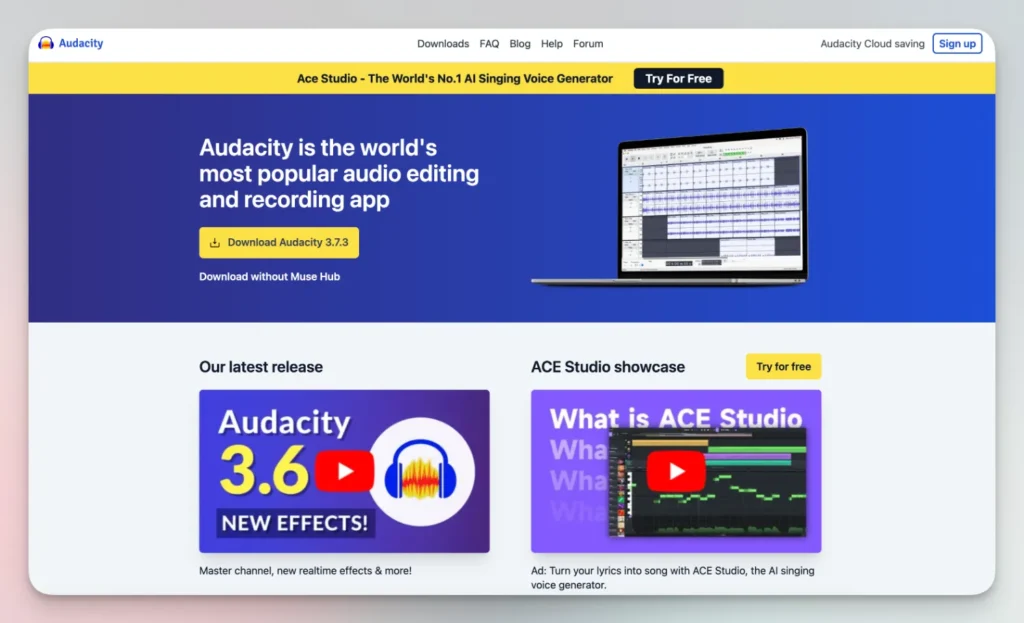
    adudacity podcast

    How Can You Record Your Podcast and Edit Your Podcast Using Free Podcast Recording and Editing Software?

    When you’re ready to get a bit fancier, look into free podcast recording and editing software that can help you polish your sound. Tools like Audacity (available on Windows, Mac, and Linux) or GarageBand (if you’re on a Mac) let you record a podcast and add a professional touch without spending a dime. These apps are pretty straightforward, and you’ll be able to trim out awkward pauses, drop in a short podcast intro, and even layer some podcast music or sound effects underneath your voice. As you edit your podcast, watch your volume levels so that nothing ends up too quiet or too harsh on the ears. You’ll want a smooth, consistent sound that keeps your podcast listeners comfortable as they tune in.

    A handy tip is to record in a quiet, carpeted room to reduce background noise, and speak clearly into your podcast microphone. Once you’re done, open up your editing tool and focus on the basics: cut out long silences, chop off any random “ums” that bug you, and maybe add a bit of music at the start to set the mood. Experiment with transitions between segments, so your podcast episodes flow naturally. Maybe you’ll add a quick intro and outro or a short snippet of music before you jump into the main talk. The first few times you record your podcast, you might feel unsure about which parts to trim or how to blend in music. Don’t sweat it—just play around and learn as you go. Over time, you’ll get a feel for what sounds good.

    As you gain confidence, you can try out more advanced editing tricks. Things like equalization (to make your voice sound warmer), compression (to even out volume levels), or light noise reduction can help you achieve a good podcast sound. Don’t try to become an editing wizard overnight, though. When you start a podcast for free, keep it simple. Your priority is getting your new podcast out there, learning from feedback, and putting out a steady stream of podcast content that keeps folks coming back. Your first few attempts might not sound perfect, but that’s totally fine. With each first podcast recording session, you’ll feel more at ease, and it’ll show in your edited podcast.

    If you feel stuck, there are countless free tutorials online that walk you through each step of using Audacity or GarageBand. It’s like having a friendly coach on standby. Plus, if you’re planning to publish your podcast to major podcast directories, including apple podcasts or spotify for podcasters, a bit of light editing can make you stand out. Ultimately, the goal isn’t to be a pro editor—it’s to share your story, connect with others, and distribute your podcast in a way that feels natural. Keep it low pressure, keep learning, and soon you’ll be zipping through the editing process like it’s no big deal.


    Where Can You Find Podcast Music and Craft a Great Podcast Intro That Listeners Love?

    Finding podcast music doesn’t mean blowing your budget. There are plenty of royalty-free music libraries online where you can snag a short, catchy piece for free. A good podcast intro can set the tone for your whole show. It’s often just a few seconds of music plus a quick welcome. Think about what best represents your new podcast. Is it fun and lighthearted or thoughtful and serious? Choose podcast music that fits your vibe.

    Once you have your intro and maybe an outro to wrap things up, you’ve got a consistent sound that listeners will recognize each time. Adding these little touches makes your show feel more professional. It also helps you stand out among the thousands of other shows on apple podcasts and podcast directories. Don’t forget to keep it short—listeners appreciate when you get to the point. Make that intro count, and you’ll be well on your way to producing a successful podcast.


    How to Decide on a Podcast Format and Create Eye-Catching Podcast Cover Art?

    Choosing a podcast format might feel tricky, but don’t stress. Do you want your show to be interview-style, solo commentary, a roundtable with friends, or a narrative series? Pick what feels right for your podcast topic and personal style. Every podcast format has its perks. A simple solo format is easy to produce, while interviews can bring fresh perspectives. Once you settle on a format, stick with it for a few episodes to see if it clicks.

    Next, you’ll need podcast artwork. This is often the first thing folks see when they come across your show. A simple design with your podcast title and maybe a related image can do wonders. You can create a podcast cover art using free online tools like Canva. Make sure your podcast artwork looks good as a small thumbnail, because that’s how most people see it on podcast apps. Good podcast art is like a billboard for your show—it should catch the eye and give people a clue about what you’re all about.

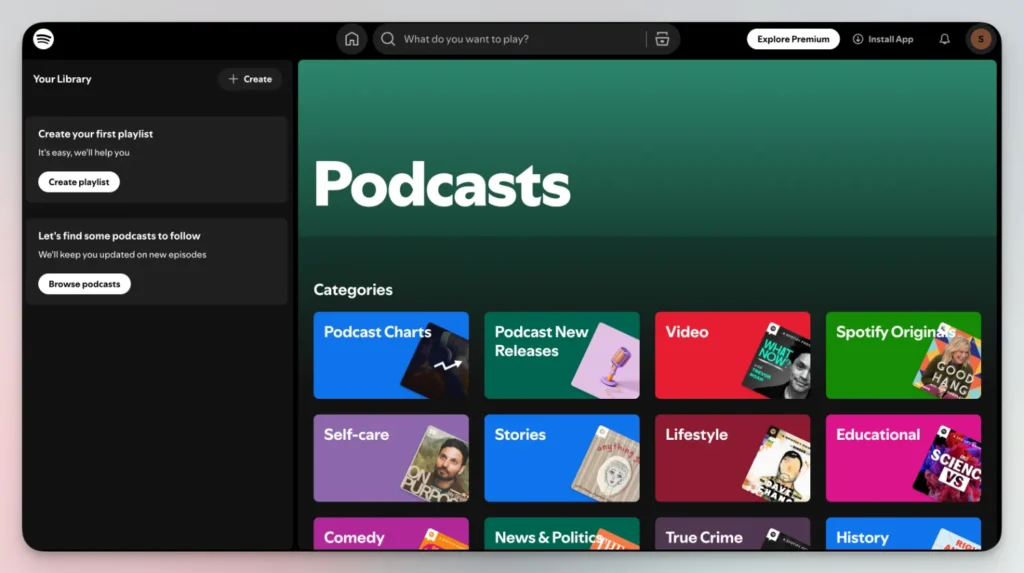
    spotify podcast

    How Do You Distribute Your Podcast to Spotify for Podcasters and Other Podcast Directories?

    After you’ve got a few episodes ready, it’s time to distribute your podcast. You can use a podcast hosting platform (some are free) to get your show out there. Many folks start a podcast for free using a free podcast hosting service that generates your show’s RSS feed. With that RSS feed, you can distribute your podcast to directories like apple podcasts, spotify for podcasters, Google, and more. Getting your show listed is key to reaching more podcast listeners.

    Once you submit your show, it can take a few days before it appears in different podcast directories. After that, new episodes you publish will show up automatically. Make sure your podcast description is clear and includes some keywords related to your podcast topic. This helps people find you when they search. Once you’re live, monitor your podcast analytics to see how many folks are tuning in. With time, you’ll gain insights into your audience and what they enjoy.


    How to Publish Your Podcast and Start a Podcast in 10 Simple Steps?

    To summarize a straightforward process:

    1. Pick a podcast topic you’re excited about.
    2. Name for your podcast that’s easy to remember.
    3. Record a podcast using basic gear.
    4. Podcast editing: trim and polish your audio.
    5. Podcast artwork: make a simple, clean design.
    6. Podcast hosting platform: find a free or low-cost option.
    7. Get your show on directories like apple podcasts and spotify for podcasters.
    8. Share your podcast links on social media and with friends.
    9. Promoting your podcast: use social media and guest appearances.
    10. Grow your podcast by listening to feedback and trying new things.

    These are the basics to start a podcast in 10 steps. None of this requires a huge upfront cost. You can start a podcast for free by being resourceful. Many people worry about making a popular podcast right away, but that’s not realistic. Focus on building a solid foundation—good sound, a clear direction, and a consistent schedule. Over time, you’ll want your podcast to sound better, attract more listeners, and maybe turn into a successful podcast. Patience and persistence are key.


    How Can You Promote and Monetize Your Podcast Without Spending a Fortune?

    Promoting your show doesn’t mean throwing money at ads. You can grow your podcast by sharing clips on social media, talking about it on other platforms, or asking friends to spread the word. Consider featuring podcast guests with their own audiences. When they appear on your show, they might share it with their followers. Connect your show notes to helpful resources, tag relevant people on social, and consider a podcast website where you can post transcripts or extra content. It’s all about being present where your podcast listeners hang out.

    Monetize your podcast once you have a stable audience. You don’t need thousands of listeners. Even a small, loyal audience can support you through donations, memberships, or affiliate links. Some podcasters integrate short sponsor messages within their episodes. Just keep it genuine and relevant. Monetizing should never compromise your content quality. Remember, your main goal is to deliver good podcast episodes and keep listeners coming back for more.

    If you’re just starting out, monetizing might feel like a far-off goal. That’s okay. Focus on building trust and producing an edited podcast that sounds good. Over time, as you publish your podcast more consistently, you’ll have opportunities to turn your passion into income. Just don’t rush it. Quality, authenticity, and consistency count more than quick bucks.


    FAQs and Troubleshooting Your New Podcast Journey

    Q: “What is a podcast?”
    A: A podcast is basically an audio show you can listen to on-demand. It’s like listening to a friend talk, interview someone, or tell a story, but on your schedule. You can create a podcast about anything—sports, cooking, business—anything goes.

    Q: I want to start a podcast but feel stuck. Any tips?
    A: If you want to start a podcast and don’t know how, just begin with the simplest steps. Record a podcast on your phone, pick a basic podcast hosting service, and share your first episode with close friends. You’ll learn a ton by doing. Also, remember that your first episodes don’t have to be perfect. Aim for progress, not perfection.

    Q: How do I handle a remote podcast with guests in different locations?
    A: Try free podcast recording software like Zoom, Cleanfeed, or Skype with a recording add-on. Make sure your guests wear headphones to avoid echo. You can always edit out background noises later.

    Q: How do I choose a good podcast mic?
    A: Start cheap. A USB mic from your local electronics store or an affordable model online works well enough. As your show grows, consider upgrading. A good podcast mic can run under $100 and still produce decent sound.

    Q: Can I make a video podcast version and put my podcast on youtube?
    A: Sure, if you’ve got the time. Filming yourself while you record a podcast lets you share it on youtube, which can attract a different audience. Just keep in mind the extra editing time.

    Q: How do I come up with a podcast description that attracts listeners?
    A: Keep your podcast description short, clear, and packed with relevant keywords. Mention your podcast topic, who it’s for, and what kind of content people can expect. Make it sound casual and friendly—like you’re describing the show to a buddy.

    Q: What about choosing a podcast name?
    A: Picking the right podcast name is important. Brainstorm a few that reflect your topic and tone. Make it short, easy to spell, and memorable. If you’re stuck, ask friends for feedback.

    As you continue your podcast journey, you’ll probably face hiccups—maybe struggling with podcast analytics, dealing with a tricky podcast recording, or needing to tweak your podcast script. Don’t panic. One of the best ways to learn is by trial and error. If your format isn’t working, try something else. If your sound quality is poor, try recording in a quieter spot or putting a blanket over hard surfaces. If you stumble over words, write a loose script. Each small improvement will help your show stand out.

    If you find that one approach doesn’t suit you, try another podcast tactic. Maybe changing your podcast studio setup or cutting your episodes shorter helps. Maybe inviting podcast guests changes the vibe in a good way. If promoting your podcast feels hard, tap into social communities, and ask for feedback. Remember, everyone started somewhere. Even the top podcast creators started with zero listeners. Keep tinkering and having fun. Over time, you’ll build a stable audience. In a year, you might look back at your start a podcast days and feel proud of how far you’ve come.


    Bullet Point Summary: Key Takeaways

    • Start a podcast by using what you have, even a phone.
    • Keep it simple, and don’t worry about fancy gear.
    • Choose a podcast hosting platform that’s free or cheap.
    • Plan a podcast topic you’re passionate about.
    • Record a podcast and make small audio edits with free tools.
    • Add podcast artwork, a quick intro and outro, and maybe some background music.
    • Distribute your podcast to apple podcasts, spotify for podcasters, and other podcast directories.
    • Experiment with your podcast format until it feels right.
    • Use social media and promoting your podcast strategies to attract podcast listeners.
    • Over time, monetize your podcast with sponsors or memberships.
    • Track your podcast analytics and adjust as needed.
    • Stay patient, keep learning, and always remember why you decided to start a podcast in the first place.

    In the end, if you’re still on the fence, just remember: it’s never been easier to start a podcast for free and share your voice with the world. So go ahead—start a podcast and keep growing step by step.

  • Is Your Social Media Marketing Failing? Here’s What You’re Doing Wrong!

    Is Your Social Media Marketing Failing? Here’s What You’re Doing Wrong!

    Social media marketing might feel like a guessing game right now. You set up your profiles, post some content, and yet you’re not seeing much traction. It’s frustrating, right? This article takes an honest look at why your social media marketing efforts might be falling flat. We’ll talk about what mistakes to avoid, how to align your marketing strategy with your social media platform choices, and what steps can bring a better return. If you’re trying to figure out why your social media marketing doesn’t deliver the results you want, this read will give you a clearer path forward. It’s worth your time because it’s all about cutting the fluff and focusing on what actually drives better digital marketing outcomes, so you can finally see the benefits of social media marketing for your brand.

    What Are the Benefits of Social Media Marketing That You’re Missing Out On?

    When we talk about social media marketing, a few perks probably come to mind: better brand awareness, more direct contact with potential customers, and a chance to stand out in a crowded online space. But the benefits of social media marketing often go deeper than we think. For example, using social media can help you foster genuine connections with people who actually care about what you offer. Whether you’re posting tips on a social network or sharing a behind-the-scenes look at your business on different social media platforms, the right approach can spark loyalty and trust. It’s not just about putting stuff out there—it’s about building a community. And when you invest in a solid marketing strategy that includes social media marketing, you tap into what makes digital marketing so unique: easy interactions and a quick way to respond to what your audience needs. If your social media marketing is feeling stale, consider that there might be benefits of social media marketing you haven’t tapped into yet, such as reaching new markets through influencer marketing or experimenting with a fresh social media marketing campaign to test new angles.

    It’s easy to forget that social media marketing also provides insights that are tough to get from traditional marketing. With a solid social media management tool, you can track engagement, monitor responses, and tweak your content plan on the fly. Tools like sprout social can guide you to see where you’re winning and where you’re losing traction. There’s also a chance to diversify your social media content so it feels less like a one-way pitch and more like a conversation. That’s a big part of the overall marketing approach: weaving digital marketing, social media marketing, and even online marketing tactics into one structure that fits your business goals. By using social media platforms offer data-driven insights, you can finally see the benefits of social media marketing at work—beyond simple likes and shares.


    Is Your Current Marketing Strategy Working Across Each Social Media Platform?

    Many businesses set up accounts on every social media platform they can think of, hoping for a big payoff. But let’s pause and ask: does your marketing strategy translate well on all channels? A big issue is that what works on one social channel may flop on another. The nature of social media means that each platform attracts a certain style of content, voice, and audience mood. If you treat them all the same, you risk sending out messages that never truly click. It might be time to define your social strategy more clearly. When using social networks, think about what kind of social media content each place demands. For example, a short clip on TikTok might be golden, while a long article might work better on LinkedIn. Social media marketing campaigns that succeed usually factor in these differences.

    If your marketing strategy seems off, try to look at how you’re using social media through a more strategic lens. Maybe your strong suits are better highlighted on a visual social media platform like Instagram, or maybe you connect better with professionals on LinkedIn. Instead of forcing every piece of content onto every channel, lean into each platform’s strength. That approach can turn an average marketing campaign into something more targeted and meaningful. The key is to avoid one-size-fits-all tactics. Get comfortable adjusting your tone, content, and posting frequency. Social media marketing involves knowing who you’re talking to and what context they’re seeing your posts in. That’s how you pick a marketing channel wisely—by respecting its unique audience and letting that shape your marketing communications.


    How to Create a Social Media Marketing Plan That Aligns with Your Goals

    A social media marketing plan can’t just be a random list of ideas; it has to match your marketing goals. If you’re winging it, it might show up in sloppy posts that miss the mark. Think about your desired outcomes. Are you trying to get more leads, boost sales, or increase your social media followers? Once you know the target, you can create a social media marketing outline that spells out what you’ll do, when you’ll do it, and what success looks like. This gives your marketing manager a roadmap. If you’ve struggled, try to define your social aims in clear terms. What numbers matter? Is it engagement, conversions, or just more awareness?

    When you create a social media marketing plan, don’t forget about measurable actions. Instead of posting random content on social media, map out specific social content themes, consistent posting schedules, and how you’ll respond to audience comments. Incorporate influencer marketing if it fits your brand voice. Explore marketing techniques like social selling to encourage more direct conversions. Since social media can move fast, your plan should feel flexible. You can adjust based on results and feedback. But the key to social media marketing is one: have a direction. Let your goals guide your steps. With each social media post, ask yourself if it’s helping you get closer to what you want to achieve. If not, it might be time to adjust the plan or try a new angle.


    Do You Know Which Social Media Marketing Platforms Suit Your Business Needs?

    Not all marketing platforms deliver the same results. Some businesses jump onto every platform just because they’re popular social places. But different social media platforms each have their own strengths. If you sell visually appealing products, Instagram or Pinterest might give you the best shot. If your content is more educational or B2B-focused, LinkedIn might be a stronger marketing channel. The point is, you shouldn’t waste effort on a social channel that your audience doesn’t hang out in. Figure out where your audience spends time. Checking out social media usage data can help you narrow it down. Also, platforms like Facebook might be good for community building, while Twitter might shine when sharing quick, timely updates.

    Choosing the right social media marketing platforms often involves a bit of testing. Start by putting energy into a couple of platforms like Instagram and LinkedIn, track your results, and see what clicks. Pay attention to engagement metrics, comments, and conversion rates. The right pick doesn’t just deliver short-term wins; it can shape your entire marketing on social media. Making a careful decision about platforms can pay off when it comes to earned media, word-of-mouth recommendations, and turning viewers into loyal social customers. With so many social platforms out there, focus on social places that feel right for your brand. That way, your social media marketing is more than just a scattershot effort—it’s a targeted and thoughtful approach.


    Is Digital Marketing a Key Component of Successful Social Media Marketing Strategies?

    Some folks treat digital marketing and social media marketing like two separate worlds. They’re connected, though. A good marketing strategy often treats social media marketing as one part of a larger digital marketing ecosystem. Think about it: social media channels can drive traffic to your website, your online marketing materials, and your other marketing resources. By using social media not just as a standalone, but as a funnel into your entire online presence, you unify everything. Social media marketing strategies that integrate with digital marketing can help guide users from a simple post on social media to a well-crafted landing page or a newsletter signup.

    This isn’t just about throwing more digital marketing buzzwords around. It’s about seeing social media marketing as a form of marketing that fits neatly into your brand’s bigger picture. Traditional marketing may have its place, but social media lets you engage in real-time, reach out to many social audiences, and adapt quickly. So when you shape your social media marketing strategies, think about how they tie into digital marketing. Maybe your social media efforts support SEO, email marketing, and other marketing communications. The combination can lead to more than just a few likes—it can help you achieve your marketing success and improve your bottom line. Successful social media marketing often begins with a bigger picture that respects digital marketing’s role and harnesses it to guide your audience through a journey—not just a single click.


    How to Develop Social Media Content That Actually Engages Your Audience

    Posting random stuff might fill your feed, but does it really engage your followers? If not, time to rethink your social media content. When you create content on social media, consider what your audience cares about. Are they looking for helpful tips, fun stories, or behind-the-scenes looks into your business? Keep it real. Sharing authentic experiences can open up more meaningful conversations. Always think about what would make someone pause mid-scroll and engage with your post on social media. That might mean infographics, videos, polls, or personal stories. If you’re working with a social media manager, talk about how to shape content that feels less corporate and more human.

    Also, keep your tone conversational. Using social language that resonates can encourage replies and shares. No need to try fancy words. Just be yourself and offer something of value, whether that’s insight, humor, or relatability. You can also adapt your approach by using social data to see what’s clicking. Check analytics to know what’s getting likes, shares, or comments, and do more of that. Developing good social media content is not about blasting out anything you can think of. It’s about focusing on social connections. Effective social media marketing requires a thoughtful approach—aim to serve your audience, not just talk at them.


    Are You Overlooking Earned Media and Influencer Marketing Tactics?

    Many brands see influencer marketing as a flashy extra, not part of the main course. But influencers can open doors you can’t reach on your own. A social media network filled with fans of an influencer can be perfect for spreading your message. This falls under earned media: the coverage, mentions, and positive chatter you don’t pay for directly. If you skip this angle, you might miss out on a way to spark interest. Influencers already have a relationship with their followers, which can translate to trust. If you collaborate with the right influencer, their endorsement can feel more like a friend’s recommendation than an ad.

    Before you jump in, do some research. Choose influencers who share your values and audience. A mismatch might lead to awkward posts that don’t stick. When done right, influencer marketing can add depth to your social media marketing campaigns. It’s about broadening your social media presence without forcing it. You can also consider smaller micro-influencers or industry experts who have a solid following, even if it’s not huge. Their personal touch can mean more targeted influence. Don’t treat influencer marketing like a one-off stunt. Weave it into your long-term social strategy. When this angle works, it can bring in new followers, spread your content, and even increase your social conversions.


    Should You Invest in Social Media Marketing Courses and Other Marketing Resources?

    If you’re feeling stuck or unsure where to turn next, social media marketing courses might help. Many people think they can just wing it with social media marketing, but social media marketing requires consistent learning. Trends shift, platforms update their algorithms, and what worked last year might not work today. Investing in marketing resources can mean less guesswork. You don’t have to blindly test ideas and waste time. With the right courses, you can pick up marketing techniques that lead to more effective results. It’s like turning to a friend who’s been there before.

    These resources don’t have to break the bank. Some are affordable, and others offer free trials. When considering a course, make sure it covers areas you’re weak in. Maybe you need to learn more about data analysis, content planning, or social selling. A course might guide you through building a more focused social media marketing plan. With fresh insights, you can refine your social media strategies. Access to social courses, guides, and marketing communications can fill gaps in your knowledge and spark new ideas. It’s all about setting yourself up for success by learning from those who’ve already cleared the hurdles you’re stuck on.


    Which Marketing Platforms Can Drive Successful Social Media Results?

    Don’t assume every marketing tool is equal. You’ve got social media management platforms, analytics dashboards, and content planners. Some offer features you might never need, while others fit like a glove. A social media management platform, for example, can streamline your posting, track engagement, and help you understand what’s resonating. Without it, you might waste time guessing or juggling multiple tasks manually. The right marketing platforms can be a backbone for your strategy. Maybe you find one that simplifies your earned media tracking or another that helps you schedule posts at prime times.

    You can also consider marketing tools that integrate with other parts of your business. For instance, a marketing tool that syncs with your CRM can help you track leads from social platforms directly to your sales funnel. This makes your social media efforts feel like part of the marketing puzzle, not an isolated effort. With the right tools, your social media marketing can become more strategic and less random. Successful social media often begins with a solid foundation of tools that keep things organized, measurable, and easy to adjust. Many social platforms are out there, but choosing the right marketing tools to support them is what helps you turn a good idea into a consistent, steady presence.


    Is Your Marketing on Social Media Missing the Right Marketing Techniques?

    Sometimes it’s not about where you’re posting or who you’re targeting. It’s about the techniques you use. Are you focusing on social engagement strategies that reward interaction? Are you giving your audience something to look forward to with each social media post? Maybe you need to rethink your storytelling angle. Instead of pushing products, share how your product fits into real-life scenarios. Some marketing techniques like social listening can help you see what your audience is already talking about. Then you can shape content that meets their interests. Marketing can help bridge the gap between your brand and your audience when you pay attention to what people actually want.

    Since social media encourages back-and-forth communication, try responding quickly to comments, asking questions, and thanking followers for their support. Marketing trends change, so keep an eye on what others in your field are doing. Although social media is one channel among many, it stands out because of its interactive nature. Use a social media approach that welcomes dialogue, not just broadcasting. If your goal is to achieve your marketing dreams and get more sales or leads, consider refining your social content, adjusting posting times, or testing new formats like short videos or polls. There’s no single silver bullet, but by fine-tuning your marketing techniques, you can shape a path toward a more engaging and rewarding social media strategy.


    FAQs About Social Media Marketing

    Q: How often should I post on social media?
    A: There’s no one-size-fits-all. Aim for consistency rather than quantity. Test different frequencies and see where your audience responds best.

    Q: Do I need professional tools for social media marketing efforts?
    A: Not always, but a social media management platform or a good marketing tool can save time and help you make more informed decisions.

    Q: Can influencer marketing really boost my social media efforts?
    A: Yes, the right influencer can introduce your brand to a receptive audience, giving you earned media that feels more personal and genuine.

    Q: Will investing in social media marketing courses help?
    A: If you’re stuck or unsure about best practices, a well-chosen course can be a shortcut to better knowledge and more focused strategies.

    Q: How do I know which social media marketing platforms suit me best?
    A: Start by understanding your target audience. Check where they spend time. If they’re mostly on Instagram, focus on that. If they prefer LinkedIn, lean that way. Testing is key.

    Q: What are some common mistakes in social media marketing?

    A: Common mistakes in social media marketing include inconsistent posting, ignoring audience engagement, failing to set clear goals, not using social media analytics, and focusing too much on self-promotion. As a social media marketer, it’s crucial to avoid these pitfalls to ensure your marketing efforts are effective and yield the desired results.

    Q: How can I improve my social media marketing campaign?

    A: To improve your social media marketing campaign, start by defining clear social media marketing goals. Develop a content strategy that resonates with your target audience, consistently engage with your followers, utilize social media advertising effectively, and regularly analyze your performance using social media analytics. Remember, the power of social media lies in building relationships, so focus on creating meaningful interactions with your audience.

    Q: Why isn’t my business gaining traction on social media?

    A: If your business on social media isn’t gaining traction, it could be due to several factors. You might not be posting consistently, your content may not be engaging enough, or you could be on the wrong platforms for your target audience. It’s essential to understand where your audience spends time online and tailor your social media marketing efforts accordingly. Additionally, ensure you’re using hashtags effectively and collaborating with social media influencers relevant to your industry.

    Q: What are some effective social media marketing tips for small businesses?

    A: Some effective social media marketing tips for small businesses include: focusing on quality over quantity in your posts, leveraging user-generated content, engaging with your audience regularly, using social media advertising strategically, and showcasing your brand personality. It’s also crucial to maintain consistent branding across all your social media profiles and to use social media platforms to connect with your local community.

    Q: How do I measure the success of my social media marketing efforts?

    A: To measure the success of your social media marketing efforts, use social media analytics tools provided by each platform or third-party applications. Track metrics such as engagement rate, reach, follower growth, click-through rates, and conversions. Align these metrics with your social media marketing goals to determine if your strategy is working. Remember, success on social media isn’t just about follower count; it’s about building meaningful relationships and achieving your marketing objectives.

    Q: How often should I post on social media for optimal engagement?

    A: The optimal posting frequency can vary depending on the social media platform and your audience. However, consistency is key. As a general rule, aim to post at least once a day on Facebook and Instagram, 3-5 times a day on Twitter, and 1-2 times a day on LinkedIn. Experiment with different posting schedules and use social media analytics to determine when your audience is most active and engaged. Remember, quality always trumps quantity when it comes to social media content.

    Q: How can I use social media advertising effectively?

    A: To use social media advertising effectively, start by clearly defining your target audience and campaign objectives. Choose the right social media platforms based on where your audience spends time. Create compelling ad content that resonates with your audience and aligns with your brand. Utilize advanced targeting options offered by social media platforms to reach the most relevant users. Set a realistic budget, monitor your ad performance regularly, and be prepared to adjust your strategy based on the results. Remember, effective social media advertising requires ongoing optimization and testing.

    Q: How can I improve engagement on my social media accounts?

    A: To improve engagement on your social media accounts, focus on creating valuable, relevant content that resonates with your audience. Encourage interaction by asking questions, running polls, and responding promptly to comments and messages. Use eye-catching visuals, including images and videos, to capture attention. Leverage user-generated content and showcase customer testimonials. Experiment with different content types and posting times to see what works best. Remember, social media marketing works best when it’s a two-way conversation, so always prioritize building relationships with your followers.


    Bullet Point Summary of Most Important Things to Keep in Mind

    Keep testing and refining: Always look for ways to improve your marketing techniques on social platforms.

    Find the right platform: Different social media platforms attract different audiences. Pick the ones that match your brand and goals.

    Set clear goals: Define your social media marketing plan with specific targets. Know what success looks like.

    Be consistent: Use social media with a steady rhythm. Quality over quantity.

    Stay authentic: Speak in a tone that feels real. Avoid overly polished or distant language in your social media content.

    Embrace influencer marketing wisely: Earned media and influencer marketing can add fresh energy if done thoughtfully.

    Invest in learning: Consider social media marketing courses or free resources to stay updated.

    Use tools to streamline: A good marketing tool can simplify posting, analytics, and engagement tracking.

    Integrate with bigger plans: Treat social media marketing as part of your digital marketing and overall marketing strategies.

    Be flexible: Social media marketing involves trial and error. Adapt your social strategy based on what actually works.

  • How To Duplicate a Page In WordPress

    How To Duplicate a Page In WordPress

    Ever worked on a page in WordPress that turned out so great, you wanted to create a similar one without starting from scratch? Good news—duplicating a page is super easy and can save you a ton of time.

    Let me walk you through how to do it step-by-step.

    Why Duplicate a Page?

    Before we get into the “how,” let’s talk about the “why.”

    Here are a few scenarios where copying a page comes in handy:

    • You’ve designed a layout or format you’d like to reuse.
    • You need to test different content versions but keep the same structure.
    • You’re building a template for pages with similar styles.

    Using a Plugin to Copy a Page

    One of the simplest ways to duplicate a page is by using a plugin. WordPress has tons of options for this, but here’s a quick rundown:

    1. Install a Plugin
      Head to your WordPress dashboard, go to Plugins > Add New, and search for “Duplicate Page” or “Duplicate Post.”
      Pick one with good reviews and install it.
    2. Set Up Your Preferences
      After installing the plugin, you’ll usually find a new settings option under Settings > Duplicate Page.
      Adjust things like where the copied page will go (draft, private, etc.).
    3. Duplicate Your Page
      • Go to Pages > All Pages.
      • Hover over the page you want to copy.
      • You’ll see a new option like “Duplicate” or “Clone.” Click it.
      • Voilà! A new page is created with the same content and structure.

    Manually Copying a Page Without Plugins

    Not into plugins? No problem. Here’s how to do it manually:

    1. Open the page you want to duplicate in the WordPress Editor.
    2. Switch to the Code Editor (you’ll find this in the top-right corner under the three dots).
    3. Copy all the code you see there.
    4. Create a new page by going to Pages > Add New.
    5. Switch to the Code Editor in the new page and paste the code.
    6. Switch back to the Visual Editor to see the content and make any tweaks.

    This method works best if you’re comfortable with a bit of technical work.


    Duplicating in the WordPress Block Editor (Gutenberg)

    If you’re using the Gutenberg editor, duplicating a page can also be done like this:

    1. Open the page in the editor.
    2. Click the three dots in the top-right corner.
    3. Select Copy All Content.
    4. Go to Pages > Add New and paste the copied content into the new page.

    A Quick Tip for SEO

    If you’re copying a page to make a new version for publishing, don’t forget to change the title, permalink, and any duplicate text. It’ll keep things fresh and help avoid confusion for search engines.


    FAQs

    Can I copy posts the same way?
    Yes! Most plugins for duplicating pages also work for posts.

    Will the duplicate page go live automatically?
    No, duplicated pages usually stay as drafts until you decide to publish them.

    What happens to the images or links in the duplicated page?
    Everything should copy over just fine. But double-check links to make sure they point where you want.


    That’s it!

    Duplicating a page in WordPress is quick, easy, and a great way to save time when you’re building out your site.

    Need help with other WordPress tips? Let me know!

  • How to Fix the “Error Establishing a Database Connection” in WordPress?

    How to Fix the “Error Establishing a Database Connection” in WordPress?

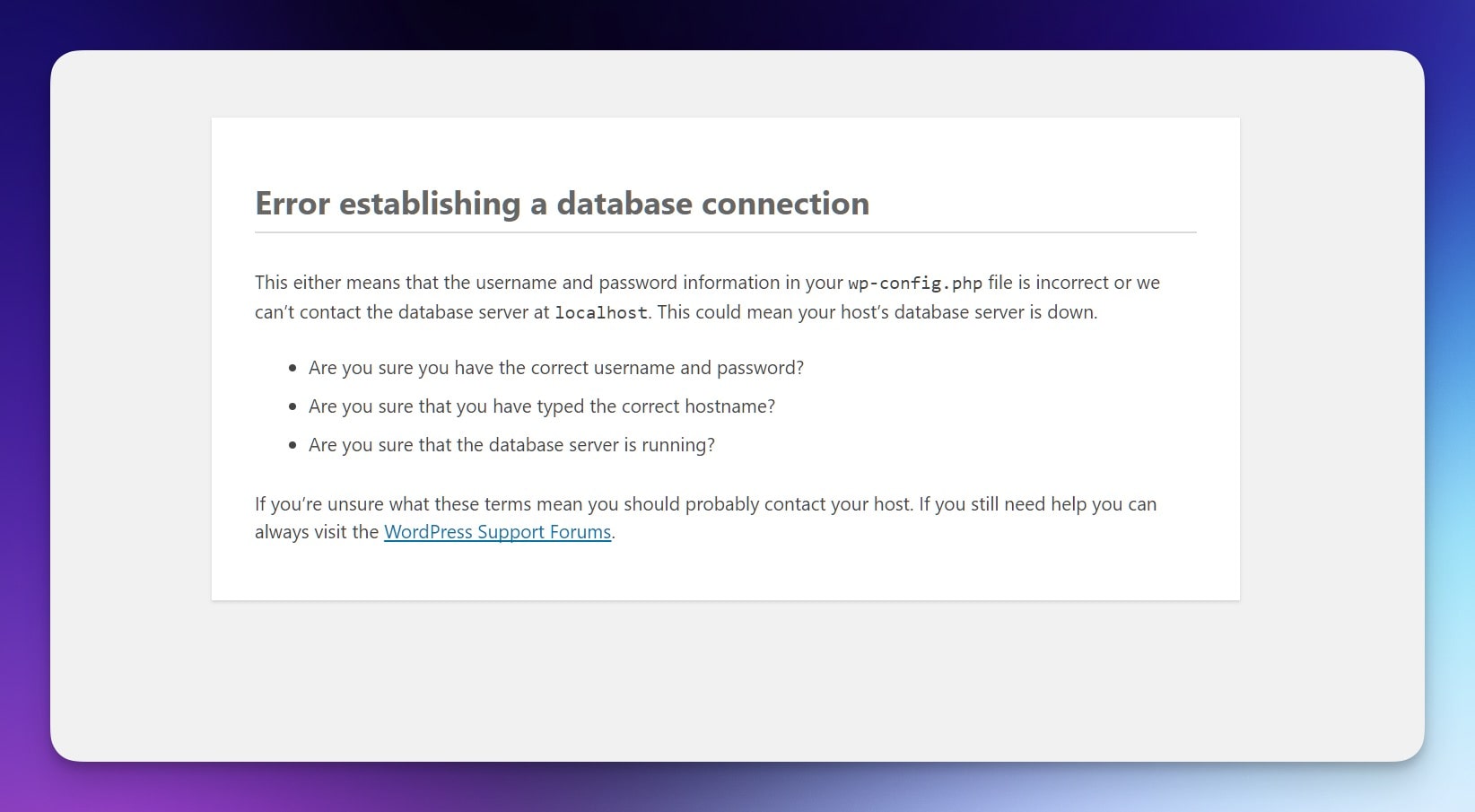
    how to fix the Error Establishing a Database Connection in WordPress can feel stressful, but let’s break it down so it’s not a headache.

    I’ve run into this error before and I know it can leave you feeling stuck. It often pops up after a migration, a plugin gone wild, or just a random host hiccup. The good news is this fix usually takes just a bit of patience.

    What Is This Error?

    It’s basically WordPress letting you know it can’t connect to its database. Think of it like knocking on a locked door without the right key.

    Steps To Fix It

    Check Your Database Credentials In wp-config.php

    • Open your site’s wp-config.php file (usually in the root directory).
    • Find DB_NAME, DB_USER, DB_PASSWORD, and DB_HOST.
    • Make sure these match what your host provided.
    • If you changed your database password or host details, update them here.

    Repair The WordPress Database

    • Add define('WP_ALLOW_REPAIR', true); to wp-config.php.
    • Visit yoursite.com/wp-admin/maint/repair.php.
    • Use the repair tool, then remove that line once you’re done.

    Check Your Hosting Server

    • Log into your hosting control panel and open the database section.
    • Confirm that the database is online.
    • If it’s down, contact support. Sometimes it’s just a temporary glitch.

    Update User Privileges

    • Open phpMyAdmin (or a similar tool) and select your database.
    • Check that your WordPress user has proper privileges (SELECT, INSERT, UPDATE, etc.).
    • Adjust if needed and save changes.

    Disable Faulty Plugins Or Themes

    • Rename your plugins folder to plugins_old.
    • If the site works now, one of your plugins caused the issue.
    • Rename it back and deactivate plugins one by one until you spot the bad egg.
    • Same idea works for your theme—switch to a default theme briefly.

    Restore From A Backup

    • If you have a recent backup, revert to it.
    • This can fix odd issues that pop up out of nowhere.
    • Consider making backups more often.

    Quick Tips

    • Jot down any changes you make so you know what fixed it.
    • If you’re stuck, reach out to your host’s support team.
    • Regular maintenance helps keep errors away.

    FAQs

    Why did this happen?
    Sometimes it’s bad credentials, a tricky plugin, or just a random server hiccup.

    Do I need special skills?
    Not really. Simple file edits and a bit of patience usually do the trick.

    What if it keeps coming back?
    Might be time to consider switching hosts or digging deeper into your site setup.

    Can I hire help?
    Sure, plenty of pros can handle it for you at a reasonable rate.

    That’s usually how I go about how to fix the Error Establishing a Database Connection in WordPress

  • How to Change Your Featured Image Size For The Perfect WordPress Featured Image

    How to Change Your Featured Image Size For The Perfect WordPress Featured Image

    I get it, dealing with the featured image size can feel a bit odd at times. Sometimes it looks too big, sometimes too tiny, and you’re left scratching your head wondering why it’s not fitting right. This piece shares practical tips to help you handle your featured image in WordPress so it fits and looks good every time. Worth reading because once you understand how to tweak the size, your posts pop, and it can help with visuals, branding, and maybe even search results.


    When I mention “featured image size,” I’m talking about the dimensions and overall scale that your featured images appear at when you set them. You might have noticed that the featured image in WordPress shows up differently on various parts of your site, sometimes bigger on the homepage, smaller in archives, or cropped differently on a post or page. The size of featured images can vary depending on your wordpress theme, and knowing the recommended featured image size can help you hit a comfortable balance between quality and speed.

    The term “featured image size in WordPress” usually refers to default image sizes pre-set by WordPress or by your theme. WordPress to create thumbnails that fit certain spots makes your life easier, but sometimes you need more control. Your featured image is one key visual element that people see before reading, so it’s worth getting it right. Keep in mind that the size is 1200 x 628 pixels is a popular choice for many, but it’s not the only option.


    How To Set A Featured Image On Your Post Or Page?

    Setting a featured image in WordPress is pretty simple once you know where to find the right controls. Open the post or page you want to edit, head to your WordPress dashboard, and look for the featured image panel on the side. Click “select the image” to choose an image from your media library, or upload an image if you haven’t done so already. When you set a featured image, you’re basically telling WordPress which picture to use as the main visual for that content.

    If your wordpress theme supports different image sizing options, you might also get different cropping or scaling variations automatically. Once you choose an image, the featured image will appear in various places around your site. You can add an image that matches your post’s vibe, choose an original image you took, or even use a stock image if that’s your style. Just make sure to pick an image file that’s not too large in file size. This ensures a smooth load time and a better overall vibe.


    Changing the wordpress featured image size matters a lot if you care about how the image appears visually. If the image looks blurry or stretched, it might turn readers away before they even start reading your content. If you adjust the size properly, you can maintain a crisp, neat presentation that grabs attention. Big images can slow your wordpress website down, and super small ones might not fill the space well, so finding the right size matters for that perfect wordpress featured image.

    When you change your featured image size, you’re basically telling WordPress how you want your featured images displayed. This can help you find the right featured image balance for any post associated with the featured topic you’re writing about. When the featured image is crucial for setting the tone, changing how it fits is part of making your content shine. The size of the featured image also relates to how well it flows with text, sidebars, or other elements on your wordpress site.


    How To Change The Size Of The Featured Images For A Post Or Page?

    If you want to change the size of the featured images, start inside the wordpress dashboard. Most times you can pick from default image sizes like thumbnail size, medium size, or large size. These default image sizes exist so you don’t have to guess dimensions every time you upload an image. If you need to fine-tune further, you might decide to code the featured image size in your theme’s functions.php file, or use plugins that let you change the featured image size more directly.

    Another approach is to open the image in your media library and use the option to edit any image. This option will crop the image or scale the image to the specified width. If you want to change the featured image size or even change the default featured image dimensions, you can do that too. Don’t hesitate to upload your featured image again if you need a different image dimension. Just make sure to pick a different image if the original one doesn’t fit well. After making changes, check your website after making this change to see if everything looks fine.


    People often wonder what the ideal featured image size is. While there is no one-size-fits-all rule, a popular recommendation is the size is 1200 x 628 pixels. This size for a featured image is often good for social sharing previews and fits nicely on many themes. The perfect wordpress featured image doesn’t have to be huge, but it shouldn’t be too tiny either. You want something that’s got enough quality to look sharp but not so big that it drags down performance.

    If you want to figure out the dimensions for your featured images, consider your theme’s layout. Some themes love a large image at the top of the post; others might rely on smaller thumbnails. Selecting the right size can be done by testing different variations until you’re happy with how the image appears. Your goal is to get an ideal featured image size that looks nice on desktops, tablets, and phones.


    How To Adjust The Thumbnail Size In Your WordPress Theme?

    Thumbnail images show up in places like archive pages, related posts, and maybe even image galleries. If you want to adjust the thumbnail size, go to your WordPress dashboard and look under Settings > Media. There you’ll find default image sizes, including the one for thumbnails. Changing these can help you resize your featured images so they fit better into places that call for smaller previews. For many, adjusting the thumbnail size is just a small tweak but makes a big difference in how featured images look in tighter layouts.

    You can also check if your wordpress theme has built-in options for thumbnails. Sometimes a theme panel lets you pick a custom thumbnail size or crop the image in three different ways. If not, a plugin might help. The key is to find a thumbnail size that suits your site’s layout and doesn’t appear awkwardly stretched or compressed. Once you find a comfortable thumbnail size, you’ll notice your featured images to ensure a consistent visual style across your site.


    Optimizing your featured images for search can help your content pop up in image searches and improve overall visibility. One basic tip: keep the file size down so it loads faster. A big, heavy large image can slow down your site. Try using a tool or plugin to compress and optimize your featured images. When you upload images to WordPress, rename the file with relevant keywords and fill in the alt text. This ties the image to your post’s featured image context and might help with those random Google Image searches.

    You can also explore how to change the way images are cropped or scaled so they display nicely on different devices. Don’t forget to consider how your featured images for search appear on social media platforms. If you change featured image dimensions to match social previews, your featured image will appear more professional when shared. All these moves help optimize your featured images and might give you that slight bump in online discoverability.


    How To Change The Default WordPress Image Sizes Without Breaking Things?

    The default wordpress image sizes can feel restrictive if you want more control. To change them, check Settings > Media in the wordpress dashboard. There you can adjust the thumbnail, medium, and large image sizes. If you need something more custom, you can code the featured image size in your theme. Just be careful when doing this, as changing default wordpress image sizes may require you to regenerate thumbnails so old images match the new dimensions.

    If you want to change the default featured image size or change the featured image size for a particular layout, test on a staging site before doing it live. One safe trick is to pick a wordpress image sizes plugin that handles resizing. You can also scale the image down or up using external software. The key is to make adjustments that don’t break your layout, maintaining a clean, polished look. Try not to make sudden jumps from small to huge images, as it may cause awkward layout shifts.


    The featured image looks best when chosen with care. Don’t just randomly pick images; select something that matches the vibe of your content. Pay attention to the image dimension before uploading. If you know about wordpress featured images, you know they should be high quality but not too heavy in file size. One tip is to crop the image if it’s oddly shaped, ensuring it fits the spot where the image will appear.

    You might find it helpful to upload an image that’s close to the size you need, so you don’t have to rely on WordPress to do the scaling. If your layout calls for a medium size image, don’t pick a massive one. The right featured image can tie your post together and keep readers engaged. If you notice that your featured image in wordpress seems off, try to adjust the size or pick a new featured photo that lines up better. Remember that each post or page might require a slightly different style.


    There are plenty of options in WordPress if you want to resize your featured images. Inside your dashboard, you can choose an image and use the built-in editor to crop the image or adjust its scaling. For more control, plugins might help you change the size of a featured image without messing around with code. If you want to image size using external tools, you can use image editing software before you upload the image to your media library.

    Some themes come with a feature that lets you change the size for a featured image from the customization panel. If you need even more flexibility, you can change the featured image size by editing your theme’s functions.php file and adding custom image sizes. After that, you might need to regenerate thumbnails to apply the new sizing. Also, consider that certain options in wordpress let you pick how your image will appear on various templates. With all these possibilities, it’s easy to resize your featured images to get just the right look.


    FAQs

    Q: Can I change the featured image’s size without a plugin?
    A: Yes, you can change the featured image size in your theme’s code or by using built-in WordPress settings.
    Just head to Settings > Media to tweak default image sizes, or edit your functions.php to register custom sizes.

    Q: What’s a good size for featured images on a blog?
    A: A common size is 1200 x 628 pixels because it works well on social media and looks good on many themes.
    But feel free to test different dimensions until you’re happy.

    Q: How do I change the size of my featured images after I’ve already uploaded them?
    A: Use a plugin to regenerate thumbnails so your older images adjust to the new sizes.
    You can also manually edit images in your media library, but be careful not to break your layout.

    Q: Will changing the featured image size affect my older posts?
    A: If you change sizes globally, older posts might show stretched or blurry images until you regenerate thumbnails.
    After that, everything should align nicely.

    Q: Can I have different image sizes for different images on the same site?
    A: Yes, WordPress supports multiple image sizes.
    You can select specific images to use a certain size or crop them differently as needed.

  • Best WordPress Podcast Plugins for 2024: Top Picks and Reviews

    Best WordPress Podcast Plugins for 2024: Top Picks and Reviews

    If you’re curious about the best WordPress podcast plugins for 2024, you’ve landed in the right place.
    This article explains what makes certain podcasting plugins shine, how they can fit your style, and what features stand out.
    It’s worth reading because it pulls together honest takes on top plugin options, saving you time and effort as you work on a solid podcast website.

    1. What Are Plugins for WordPress and Why Do You Need Them for Your Podcast Website?

    Using a plugin on your WordPress site is basically like adding a new tool to your toolbox.
    For podcasts, a plugin for WordPress can simplify tasks like publishing a podcast episode, adding a sleek podcast player, generating a podcast feed, or pulling in episodes from your podcast hosting platform.
    Without a plugin, handling your audio player and managing episodes can be clunky.
    With plugins for WordPress, you can make your podcast website look and feel like a studio designed just for your listeners.

    A solid wordpress podcast plugin can speed up how you upload episodes to your wordpress site.
    You can set up a simple podcast workflow right inside your wordpress dashboard, turning what used to be a headache into something pretty chill.
    For those who want to offer a best podcast experience, a plugin helps you integrate a podcast player directly on your wordpress website, so visitors can hit play anywhere on your wordpress site and enjoy your latest show.

    2. How Can a Podcast Plugin for WordPress Help Grow Your Show?

    A podcast plugin for WordPress can help you share your podcast content widely.
    By using podcasting plugins, you get features like a built-in podcast player, rss feed generation, and podcast subscribe buttons.
    These elements encourage podcast listeners to tune in, stick around, and share your show.
    A plugin often includes extra goodies like integration with multiple podcast directories.
    This expands your reach, making it easier for people to subscribe to your podcast.

    A well-chosen wordpress podcasting plugin can tie your podcast hosting and wordpress hosting together.
    This smooth connection means new podcast episodes appear on your wordpress site as soon as they go live, no extra steps required.
    When you manage podcast episodes directly from your site, it feels like your own personal podcast platform right on your homepage.
    This approach can help grow your podcast audience since it encourages visitors to your podcast to keep coming back.

    3. Which Podcasting Plugins for WordPress Offer a Simple Podcast Setup?

    Some podcasting plugins for wordpress stand out when it comes to ease of use.
    You can find a simple podcast solution with just a few clicks.
    A wordpress plugin that’s user-friendly lets you add a podcast player, push out your podcast feed, and even link to your podcast hosting service without complex steps.
    You don’t need to be a tech wizard.
    With a simple podcast plugin, uploading your podcast files and handling your rss feed is as easy as uploading a blog post.

    Choosing wordpress podcasting plugins that prioritize a beginner-friendly setup can make all the difference.
    For instance, seriously simple podcasting is known for a quick start.
    Your wordpress site can host your podcast episodes directly, or it can pull them in from an external podcast hosting provider.
    This means you can focus on your content, not the technical stuff.
    If you’re feeling stuck, look for a plugin that offers a free version to test the waters.

    4. Is Seriously Simple Podcasting the Best WordPress Podcast Plugin in Terms of Ease of Use?

    Seriously simple podcasting is often considered one of the best wordpress podcasting plugins for beginners.
    The name says it all.
    It’s a wordpress podcast plugin that gets straight to the point: you can publish and manage podcast episodes right from your wordpress dashboard without feeling lost.
    This plugin gives you a podcast player that’s clean and easy to customize, making sure you offer a best podcast listening experience.
    You can connect it to a podcast hosting service to handle storage while using your wordpress site as the front-end hub.

    By going with seriously simple podcasting, you can set up a podcast feed in just a few steps.
    It supports multiple podcast formats and integrates with your wordpress website seamlessly.
    If you’re looking for a plugin that keeps complexity low and results high, this could be a top choice.
    Its free version is generous enough to get you started before you consider paid add-ons.
    For many podcasters, this plugin reduces the friction of handling new podcast episodes and helps you post to multiple podcast directories without extra hassle.

    5. What Makes Podlove Podcast Publisher a Solid Plugin for WordPress?

    The podlove podcast publisher stands out as a flexible podcasting plugin.
    This plugin for wordpress puts customization front and center, letting you craft the exact podcast player layout that fits your style.
    You can fine-tune your podcast feed, ensuring your show’s metadata is spot-on.
    If you want a polished experience for podcast listeners, podlove podcast publisher can help.
    Managing your podcast episodes with this plugin often feels smoother than juggling separate tools.

    Using podlove podcast publisher has another perk: it can pull in a podcast feed from anywhere and integrate it into your wordpress site.
    This plugin adds advanced analytics, giving you data about your podcast subscribers.
    If you want to grow your podcast, insights from your stats can guide you.
    Whether you host your podcast externally or locally, this wordpress plugin offers features that cater to both beginners and pros looking to refine their workflow.

    6. How Does Simple Podcast Press Improve Your Podcast Player Experience?

    Simple podcast press is a plugin that lives up to its name, making it easy to add a podcast player anywhere on your wordpress site.
    By installing this wordpress plugin, your podcast episodes are automatically brought in, complete with show notes and timestamps.
    This plugin also generates podcast subscribe buttons, encouraging visitors to sign up for fresh content.
    It’s not just a simple podcast player; it’s a tool that helps you host your podcast in a user-friendly way.

    With simple podcast press, you can customize the look of the podcast player to match your wordpress theme.
    Your audio player can fit right into the style of your brand, offering a best podcast experience that feels integrated.
    If you run multiple podcast shows, this plugin can handle them too, making it perfect for podcasters who juggle various podcast productions.
    By using this plugin, you can turn your wordpress site into a true podcast platform that encourages podcast listeners to stay longer.

    7. Can You Integrate Podcast Hosting Services Seamlessly with WordPress Hosting and Podcasting Plugins?

    Yes, you can tie podcast hosting services directly into your wordpress site by choosing the right podcasting plugins.
    A good wordpress podcast plugin often works hand-in-hand with a dedicated podcast hosting provider, allowing you to import podcast episodes as wordpress posts without fuss.
    This plugin-based approach means when you publish a new episode on your podcast hosting platform, it can appear right on your wordpress website.
    Your show won’t miss a beat.

    With such integration, you can have your podcast feed generated automatically, and those episodes can be displayed via an attractive podcast player.
    This arrangement makes it simple to grow your podcast audience, as each episode is right there for visitors on your wordpress site.
    No need to jump between different systems.
    Your wordpress dashboard becomes your command center, saving time and streamlining tasks like managing your podcast episodes and distributing them to multiple podcast directories.

    8. How Do You Choose the Best WordPress Podcasting Plugins for Your Podcast Website?

    Picking the best wordpress podcast plugin means looking at features that match your needs.
    Ask yourself: do you want a plugin that imports a podcast feed from an external service, or do you plan to host your podcast audio locally?
    Are you interested in extra options like podcast subscribe buttons, a customizable podcast player, or detailed analytics?
    Does it matter if there’s a free version to start with?

    Consider how the plugin fits with your wordpress theme and other wordpress plugins you might be running.
    A plugin for wordpress should not slow down your site.
    Look for one that feels lightweight and offers good support.
    Some podcasting plugins will come with built-in tools to grow your podcast, integrate with your podcast hosting, and add podcast subscribe buttons.
    Focus on features that help you promote your podcast and engage listeners.
    The best podcast experience isn’t just about audio quality, but also how easy it is for your audience to subscribe to your podcast and find what they need.

    9. What Are the 7 Best WordPress Podcast Plugins Available in 2024?

    When it comes to wordpress podcast plugins for 2024, there are a handful that stand out.
    We’ve looked at some top picks, so let’s highlight 7 best wordpress podcast plugins that give you plenty of bang for your buck.

    1. Seriously Simple Podcasting:
    This is one of the best wordpress podcast plugin options for newbies.
    The plugin keeps things straightforward, offering a super clean interface and easy management of podcast episodes.
    You get podcast subscribe buttons, rss feed setup, and smooth integration with a podcast hosting service.
    If you need a place to start, this plugin is a top contender.

    2. Podlove Podcast Publisher:
    This podcasting plugin lets you customize a podcast player that fits your brand.
    It’s known for advanced analytics and detailed podcast feed tweaks.
    If you want more control over formatting and a flexible approach, this plugin offers that.

    3. Simple Podcast Press:
    If your priority is to host your podcast right on your wordpress website and keep things looking neat, this plugin is for you.
    It automates plenty of steps, from importing new podcast episodes to adding show notes.
    Your audio player can match your wordpress theme with minimal effort.

    4. PowerPress:
    PowerPress is the best for handling a robust podcast feed and offering tons of options, including easy connections to multiple podcast directories.
    It’s a plugin that’s well-known among many podcast creators and has been around for a while, making it a reliable choice for managing your podcast episodes.

    5. Fusebox (formerly Smart Podcast Player):
    This plugin brings a polished podcast player to your site.
    It’s built with listener experience in mind, offering a sleek design and easy subscribe options.
    If style and user experience matter, this plugin is solid.

    6. Podcast Importer:
    This plugin can pull your existing podcast into your wordpress site without a hassle.
    It’s handy if you’ve been hosting your show elsewhere but want to integrate it directly to your wordpress dashboard.
    It can import podcast episodes as wordpress posts, making them easy to organize.

    7. Podbean’s WordPress Plugin:
    Podbean’s tool connects you with their podcast hosting and smooth distribution features.
    If you already use Podbean, this plugin is a no-brainer.
    It keeps everything under one roof, from publishing to stats.

    These are some of the best wordpress podcast plugins available right now.
    By choosing any from this list of the best wordpress options, you’re likely to find a fit that helps you promote your podcast, manage podcast episodes, and create a simple podcast experience right on your wordpress site.

    10. Are There FAQs About Podcasting Plugins for WordPress That Can Help You Decide?

    Q: Can I host your podcast on my wordpress site without a separate podcast hosting provider?
    A: Yes, you can.
    Some podcasting plugins let you store podcast files directly on your wordpress hosting.
    Keep in mind that large files may slow your site, so a dedicated podcast hosting platform might be a better choice for performance reasons.

    Q: Will a wordpress podcasting plugin help me grow your podcast audience?
    A: A good plugin can definitely help grow your podcast audience.
    By making it easy for visitors to subscribe to your podcast, listen through a good podcast player, and share episodes, you’re nudging them to come back for more.
    Podcast subscribe buttons and direct access to your show on your wordpress website make it simpler to gain podcast listeners.

    Q: Do I need a free wordpress plugin to start my podcast website, or should I pay for premium features?
    A: Starting with a free version is a good idea, especially if you’re new.
    Many podcasting plugins offer a free wordpress plugin option, letting you try basic features before upgrading.
    This helps you see if the plugin fits your workflow and podcast content style before spending money.

    Q: Can I import my existing podcast into my wordpress site easily?
    A: Yes, some podcasting plugins, like Podcast Importer, can pull in your podcast feed and import podcast episodes as wordpress posts.
    This is handy if you’ve been hosting episodes on another platform and now want them displayed right on your wordpress website.

    Q: Will a podcast plugin for wordpress help me manage podcast episodes more efficiently?
    A: Absolutely.
    A wordpress podcasting plugin simplifies managing your podcast episodes.
    They often provide a clear user interface, making it painless to organize podcasts into categories, schedule episodes, and keep track of your library.
    Less time spent fiddling means more time focusing on podcast content quality.

    Q: Can I use multiple podcasting plugins at once?
    A: You could, but it’s best not to pile on too many.
    Too many plugins for wordpress can slow things down.
    Try to find one or two podcasting plugins to help accomplish your main goals.
    It’s about finding a plugin that checks most of your boxes in one package.

    Q: Will these podcasting plugins integrate with my wordpress theme seamlessly?
    A: Most well-coded wordpress podcasting plugins are designed to fit nicely into any wordpress theme.
    They often give you shortcodes or blocks to place your podcast player anywhere on your wordpress site.
    This flexibility helps your site’s design and podcast content blend together smoothly.

    Q: Can I manage multiple podcast shows on the same wordpress website?
    A: Many podcasting plugins do support multiple podcast feeds.
    This means you can run multiple podcast series from the same wordpress site.
    It’s useful if you produce several shows and want them all under one digital home.

    Q: Can I monetize your podcast using these plugins?
    A: While some podcasting plugins provide features like dynamic ads (watch the forbidden words list—use another term: “ad insertion”) or referral links, full monetization often depends on how you handle your podcast hosting and advertising partners.
    The plugin can help display your episodes and improve your audience experience, which can indirectly help when you decide to monetize your podcast.

    Q: Will these tools help if I have a popular podcast already, or are they just for beginners?
    A: The best podcasting plugins work for everyone, from novices to seasoned hosts.
    If you have a popular podcast, you’ll appreciate features like better analytics, custom players, and strong integration with podcast directories.
    In that sense, a good plugin grows with you as your show expands.


  • Notion AI vs ChatGPT: Which AI Tool is the Best for Your Needs?

    Notion AI vs ChatGPT: Which AI Tool is the Best for Your Needs?

    Notion AI vs ChatGPT is the hot topic right now because so many folks are curious if they should lean on Notion’s built-in solution or jump into ChatGPT’s approach. A lot of people are juggling tight schedules and big projects, and they want an AI tool that actually helps. This piece is worth your time because it’s not some fluffy PR nonsense. I’m just sharing the truth. I’ve tested both, and I’m breaking down the good, the bad, and the weird to help you pick the AI tool that doesn’t just sound cool but genuinely fits what you’re trying to get done.


    What Are The Similarities Between Notion AI And ChatGPT?

    A lot of people ask about the similarities between Notion AI and ChatGPT.
    They’re both known for being solid AI tools.
    When I talk about “notion ai and chatgpt,” I’m thinking of how they handle user queries, generate text, and help keep projects on track.
    Both tools tap into generative AI, which basically means they use AI to generate responses on the fly.
    If you’ve never tried them, “notion ai and chatgpt” might sound intimidating, but trust me, they’re simpler than you think.
    They’re not gimmicks.
    They can help with “use ai” in day-to-day stuff.
    They’re like having a smart assistant that’s less about buzzwords and more about getting stuff done.
    These aren’t just gimmicky chatbots.
    They’re an “efficient ai tool” that can improve your “productivity” in ways you might not have expected.

    So, what’s cool here is that both Notion AI and ChatGPT are “generative ai tools.”
    They both can handle “ai writing” tasks and give you thoughtful text in seconds.
    They’re both designed to reduce friction.
    If you “already use notion,” slipping Notion AI into your “notion workspace” is straightforward since it’s “within the notion platform.”
    At the same time, ChatGPT is out there for anyone to try, and in fact, “chatgpt is free” to start messing around with.
    If you “compare notion ai vs” ChatGPT, you’ll see both rely on large language models.
    They’re both “ai chatbot” options if you think about it.
    They’re both about helping with tasks and making life easier.


    What Are The Differences Between Notion AI And ChatGPT That Matter Most?

    If you want to “compare notion ai,” one big difference is the way these tools plug into your workflow.
    Notion AI sits “within the notion ecosystem.”
    This is great if you’re a “notion users” fan who doesn’t want to bounce between multiple apps.
    On the other side, ChatGPT lives separately, so you have to copy and paste stuff from one tab to another.
    Another factor: “notion ai vs chatgpt” often comes down to integration.
    “Notion ai integrates” right into pages.
    “Chatgpt also” can help, but it’s not baked into your notes and tasks, so you might miss that extra smooth feel.
    Another angle is cost and limits.
    While “chatgpt can answer” questions easily, advanced features may require “chatgpt plus,” while Notion AI’s pricing aligns with the “notion productivity platform” mindset.

    Let’s talk about how they generate text.
    Some say “notion ai shines” in producing text that fits right into your docs, while ChatGPT is more like an open canvas.
    For instance, if you “ask notion ai” inside your Notion doc, it can pull context from what you’ve written.
    “Notion ai can help” tailor responses to what you’re working on.
    As for ChatGPT, it’s very flexible too, but you’re on your own to format and move text around.
    This might matter if “chatgpt depends on your specific” goals.
    Are you looking for a “productivity tool” that fits your existing system, or are you fine working across different tools?
    The “differences between notion ai” and ChatGPT really show up in how integrated you want your workflow to be.


    Is There Any Reason To Use ChatGPT Plus And Notion AI Together For Productivity?

    Some people wonder if it’s overkill to stack both tools.
    The reality is that “notion ai and chatgpt” can complement each other.
    If you rely on “content creation” in Notion, you can “use notion ai” to get a quick draft going inside your workspace.
    Then, you might “use chatgpt” plus advanced features in ChatGPT to refine that draft further.
    This combo can handle complex research and polishing tasks, helping with “ai writing” in a smooth way.
    For me, pairing them can boost “productivity,” especially if you’re pulling info from one tool and shaping it in the other.
    It’s not a must, but it’s a cool option if you’re deep in big projects.

    Another angle is how “chatgpt offer” unique strengths and how “notion ai offers” convenience.
    If you’re building a knowledge base “within the notion” environment, having Notion AI rewrite sections saves you time.
    Then, you can jump into ChatGPT’s interface for more creative flair.
    This is where “chatgpt to find the best” angle might shine.
    You can feed both tools different prompts and compare results.
    Sometimes you’ll find ChatGPT’s response is better.
    Sometimes Notion AI hits the mark.
    You’re basically getting the best of both worlds.
    For people who “want to use ai” in a deep way, it’s like having two different lenses on the same text.
    One is baked into your everyday space.
    The other is a more neutral playground.


    How Does The Notion AI Feature Fit Into An Everyday Workflow On The Notion Platform?

    The “notion ai feature” is designed to live “inside the notion” environment, which means it’s always there.
    It’s great if you “use notion” to organize tasks, notes, wikis, and all that.
    With one click, “notion ai can automate” the rewriting of a paragraph, cleaning up messy notes, or generating fresh text.
    For a busy person, that’s huge.
    It’s not just about saving a few clicks.
    It’s about building a world where you never leave your “notion workspace.”
    The “notion ai uses” your existing content to understand what you’re after.
    It’s basically letting you “use ai tools” in your notes without copying things around.

    This “ai integration” feels natural if you’re “familiar with notion.”
    That’s the difference: you’re not just plugging a tool into another tool.
    You’re running an AI layer “within the notion platform,” which means it just fits.
    Whether you’re updating a project doc, brainstorming with your team, or adjusting some text, you can do it right there.
    This is what makes “notion ai is a powerful” add-on for those living in that environment.
    If you think about it, it’s a “versatile ai” addition that’s not demanding you learn new habits.
    You just do your thing, and when you need smarter text or ideas, Notion AI steps in without messing up your flow.


    Can You Use ChatGPT For Content Creation That Feels Natural?

    When people talk about using ChatGPT for “content creation,” they often worry about robotic vibes.
    But “chatgpt can provide” some surprisingly human-like text.
    I’ve asked it to tweak blog posts, generate catchy titles, and it usually lands some decent lines.
    “Chatgpt can automate” repetitive writing tasks, from summarizing articles to drafting emails.
    It won’t judge you or get tired.
    It just keeps going.
    That said, I wouldn’t just copy its output blindly.
    The best results come when you guide it carefully.
    The beauty here is that “chatgpt might” surprise you with new angles.

    Also, since “chatgpt is a chatbot,” you can have a back-and-forth conversation.
    This “conversational ai” aspect is gold if you’re stuck.
    Ask it questions like, “What’s a better opening line?” or “How do I add humour here?” and “chatgpt will respond” with fresh ideas.
    This makes “content creation” feel less like a chore.
    It’s like talking to a writing buddy who always has time.
    If you need even more advanced features, consider “chatgpt plus,” which might bring better performance or more options.
    Even if you “use chatgpt for free,” it’s a great starting point.


    Which AI Tool Offers The AI Capabilities And AI Features You Want?

    When you think about “which AI tool offers the ai capabilities” that matter to you, it’s about personal needs.
    “Notion ai and chatgpt” both have “ai features,” but how they’re delivered differs.
    If you’re big on structure and workflows, “notion ai excels” at keeping everything in one place.
    If you want more wide-ranging creativity, ChatGPT might be the jam.
    This “ai tool is the best” thing isn’t a blanket statement.
    It’s about fit.
    Do you need a “powerful tool” inside your note-taking system, or do you prefer a standalone sandbox for ideas?

    Think about what you want to do.
    If you run a project inside Notion and “notion ai helps” refine your text without leaving the page, that’s a win.
    If you’re a freelancer who just wants quick help with brainstorming, ChatGPT can live on the side and spit out ideas on demand.
    Also, “chatgpt offer” can mean variety.
    You can tweak prompts, get different angles, and use it like a writing partner.
    On the other hand, “notion ai integrates” well into your data, so it might give more context-aware suggestions.
    The “ai capabilities” differ.
    It’s like asking: do you want a Swiss Army knife that’s inside your existing toolbox or a standalone gadget that does one thing really well?


    What Are Some Use Cases For Notion AI And ChatGPT To Consider?

    If you’re scratching your head about actual “use cases,” think about daily tasks.
    Let’s say you’re writing a report in Notion.
    The “notion ai to help” rewrite a messy paragraph could save you time.
    If you’re trying to outline a blog post, “notion ai could” give you a kickstart right where you work.
    If you need more detailed research or varied takes, “ask chatgpt to create” alternate versions.
    This combo can handle all sorts of “differences between notion ai” and ChatGPT tasks.
    Each has strengths that show up differently depending on what you do.
    If you’re doing “ai writing” for internal docs, Notion AI might be perfect.
    For brainstorming a marketing campaign, ChatGPT’s broader perspective might shine.

    Also, think about scaling up.
    If you manage a team inside Notion, “notion ai can help” everyone level up their docs.
    If you’re a solo entrepreneur, “chatgpt to find the best” angle for your pitch might be handy.
    If you “sign up for notion,” you can get started fast and tap into “notion ai offers” to get more from your “notion ecosystem.”
    If you look at the “similarities between notion ai” and ChatGPT, both tools are about making life easier.
    Focus on what fits your workflow and what’s going to raise your “productivity.”


    Does Conversational AI Make Any Difference For Productivity?

    A lot of us have wasted time rewriting the same info over and over.
    “Conversational ai” tools like ChatGPT and Notion AI remove that hassle.
    They don’t roll their eyes or get tired.
    They’ll help all day long.
    This “generating responses than chatgpt” or Notion AI thing is about skipping dull steps.
    It’s not about showing off flashy tech.
    If you “notion ai works” inside your familiar system, it makes it easy to “use ai tools” whenever you need.
    That’s a boost in “productivity.”
    “Notion ai seems” good at weaving into your docs without breaking your flow.

    At the same time, ChatGPT sits there ready to answer whatever you throw at it.
    As an “alternative to chatgpt,” you might rely solely on Notion AI if you like everything in one place.
    Or maybe ChatGPT alone is good enough for what you do.
    Either way, this new “conversational ai” approach turns writing from a chore into something quicker and lighter.
    It’s all about cutting down on busywork and letting your energy focus on the parts of your work that matter.
    That’s what makes both tools appealing in a world where we’re always juggling too much.


    How Do You Make The Choice Between Notion AI And ChatGPT Without Regrets?

    The “choice between notion ai” and ChatGPT is personal.
    Ask yourself: do you “already use notion” daily?
    Do you want an AI layer right inside your “notion workspace?”
    If yes, “notion ai is a powerful” way to do that.
    If you don’t rely on Notion and just need a quick AI buddy, ChatGPT might be simpler.
    Consider what tasks you handle most.
    Do you rely on note-taking, project management, and wikis “within the notion ecosystem?”
    If so, “notion ai integrates” smoothly.
    If you prefer a tool that’s separate and flexible, ChatGPT fits.
    Also, costs matter.
    Check the pricing of both.
    Some people swear by one or the other, but “chatgpt depends on your specific” needs.

    Also think about how each option feels day-to-day.
    Try a free test.
    “Use chatgpt for free” to see if it gives you what you need.
    Try “use notion ai” and see if it boosts your efficiency.
    Check the “best chatgpt” tricks or “version of chatgpt” that might add features you like.
    Same with Notion AI.
    Do you find yourself asking it questions and getting decent results?
    Does it cut your editing time?
    If yes, stick with it.
    “Notion ai boasts” a neat integration and can keep your workflow tidy.
    On the other hand, ChatGPT stands on its own, and if that’s what you need, no shame in going that route.
    At the end, “compare notion ai vs” ChatGPT and trust your gut.


    Is A Notion AI Vs ChatGPT Comparison Helpful For Finding The Best AI Solution?

    A “notion ai vs chatgpt comparison” can help you figure out what’s right for you.
    You get a sense of “compare notion ai vs” ChatGPT directly.
    Both are “generative ai” solutions but serve different styles of working.
    Look at the “features of these ai tools” and how they stack against your habits.
    Check the “number of ai” integrations you need.
    “Notion ai helps” you get things done if you’re living inside Notion anyway.
    “Chatgpt can provide” a more open-ended approach.
    Both tools “ai can provide” support for “ai writing,” note-taking, or brainstorming.
    Either way, you end up with a “best ai solution” that fits you, not just the hype.

    “Notion and chatgpt” both aim to help you get more done with less grunt work.
    “Compared to notion ai,” ChatGPT might be more flexible but less integrated.
    “Compared to chatgpt,” Notion AI is right there where your work already lives, but maybe less flexible in some cases.
    At the end of the day, a side-by-side check lets you pick with confidence.
    If you “notion ai excels” in your environment, go for it.
    If you prefer a standalone chatbot, chatgpt might be the best match.
    “Notion ai works” well if you’re tied into Notion.
    If not, a neutral option might work better.
    Either way, “ai has proven” useful, and we’re lucky to have choices like this.
    Notion AI vs ChatGPT is all about picking what lines up with your work and style.


    Common FAQs About Notion AI And ChatGPT

    Q: Can I “use chatgpt” and Notion AI together?
    A: Yes.
    You can draft something in Notion AI and then polish or fact-check with ChatGPT.
    They’re not exclusive.

    Q: Is “notion ai vs chatgpt” a settled debate?
    A: No.
    Both tools evolve, so test them out to see which fits your workflow.

    Q: Does “chatgpt also” help with coding or research?
    A: Yes, ChatGPT is flexible.
    It’s not just for text.
    Try different prompts.

    Q: How “notion ai integrates” compared to ChatGPT?
    A: Notion AI lives right inside your pages, while ChatGPT sits outside.
    Decide if that matters to you.

    Q: Can “notion ai can help” rewrite my notes fast?
    A: Absolutely.
    It can improve wording and clarity inside your docs.


    Bullet Point Summary Of Key Points

    • Both Notion AI and ChatGPT rely on “generative ai” for text tasks.
    • “Notion ai and chatgpt” share a goal: make writing and organizing info easier.
    • Integrations differ: Notion AI sits “within the notion” setup, ChatGPT stands alone.
    • “Chatgpt plus” can add more advanced features.
    • “Use notion ai” if you’re already deep in Notion’s system.
    • “Notion ai is a powerful” helper inside your workspace.
    • “Chatgpt offer” flexible prompts for creative tasks.
    • Think about “use cases” and what fits your daily grind.
    • “Ai tool is the best” is not a one-size-fits-all statement.
    • Try them both and see how they feel in real work.
    • Picking between them should revolve around your comfort, “productivity,” and the specific problems you face.
  • Calculating Marketing ROI: Maximize Return on Investment for Campaigns

    Calculating Marketing ROI: Maximize Return on Investment for Campaigns

    Marketing ROI is the big question on every marketer’s mind.
    The truth is, if we don’t measure the return on investment from each campaign, we’re just throwing cash at a wall and hoping something sticks.
    This article breaks down how to calculate the return on investment, why you need to care about measuring return on marketing investment, and how to tweak your marketing efforts so your marketing spend isn’t wasted.
    Expect straight talk, zero fluff, and real-world insights.
    This is worth a read because, let’s face it, nobody wants to pour money into a marketing campaign that doesn’t bring home results.


    What Is Marketing ROI And How Does It Affect Your Marketing Investment?

    We all toss around the phrase “marketing roi” like it’s some secret sauce.
    But what does it really mean to a marketer who’s got a marketing campaign running on a tight marketing budget?
    “ROI is short for return on investment,” and at its core, it’s about figuring out how much revenue a marketing campaign generates compared to what you spend.
    You look at the cost of the campaign, and you look at what comes back in sales.
    If the return on marketing investment is solid, you keep doing that.
    If not, time to adjust.
    Good marketing roi doesn’t just show off numbers for fun.
    It’s there to guide smart decisions and optimize marketing efforts so that every marketing cost pulls its weight.

    From a view of marketing that focuses on numbers, marketing roi helps show whether a marketing investment was worthwhile or not.
    You can’t just guess.
    You need to calculate.
    To measure the return on investment properly, marketers rely on a calculation known as the roi formula.
    The importance of marketing is tied to numbers.
    This is where measuring marketing steps in.
    Once you measure campaign success and establish if your marketing activities are actually doing something, you get an overall marketing performance snapshot.
    The ultimate goal?
    Find a good roi in marketing that keeps your boss smiling and your marketing team feeling proud.


    Why Is It Difficult To Measure Marketing ROI And How To Overcome It?

    If you’ve ever tried to measure marketing roi, you know it can feel messy.
    Marketing efforts often run across multiple platforms, and you’ve got to deal with external factors that impact campaign outcomes.
    Sometimes the marketing mix is off, or you’re running the wrong campaign for your target.
    Roi isn’t always straightforward because it depends on everything from the type of marketing used to the conversion rate you get.
    This makes measuring return on marketing investment feel like a chore, and it’s no wonder measuring roi can be difficult to measure accurately.

    But marketers don’t have to guess.
    If you need to calculate your overall roi, start by looking at what you spend on marketing versus what comes back.
    Marketing roi calculation requires a systematic calculation.
    That might mean tracking your marketing spend closely, using sales growth minus marketing expenses to see if what you’re doing is working.
    When you accurately calculate what’s going on, you can identify the effects of marketing.
    The ability to measure campaign success comes from understanding the cost of the campaign and the revenue generated by marketing.
    In short, you need to calculate marketing results in a way that’s tied directly to numbers.


    How To Calculate Marketing ROI For Your Campaign Using The Right ROI Formula?

    We all want a clear roi formula that shows us how to calculate the return on investment.
    To measure the return on investment, you usually take the revenue generated by marketing minus your marketing cost, then divide by your marketing cost again.
    It’s simple math, but it gets tricky when you add multiple channels and track marketing across them all.

    If you need to calculate roi, consider this approach:

    • Start with using sales growth minus what you spends on marketing.
    • Then divide by the marketing cost of the campaign.
    • Finally, multiply by 100 to get a percentage.

    This roi calculation might seem basic, but it’s a way to measure what’s working.
    With each marketing campaign, you must factor in your marketing expenses, your marketing investment, and the marketing initiatives you’ve got running.
    When you measure the return, the new marketing data you collect can guide your future marketing efforts.
    Measuring return on marketing investment is never just about big fancy tools; it’s about plain math and consistent tracking.


    What Are The Best Ways To Calculate Marketing ROI Across Multiple Marketing Channels?

    Real talk: one marketing channel might crush it, while another fizzles out.
    To find ways to calculate marketing roi for each campaign, you’ve got to break down your metrics by channel.
    For instance, if you run an email marketing push, measure the return from that segment alone.
    If you pour cash into digital marketing ads, do the same.
    This lets you isolate which type of marketing brings in a good roi.

    Common marketing practice might say just look at overall marketing.
    But no, that’s how you lose clarity.
    To measure marketing roi effectively, pick the metrics that matter.
    Look at conversion rate for each channel and see what marketing programs and campaigns generate actual returns.
    If one channel brings a higher return on marketing investment, ramp it up.
    If another channel burns through your marketing budget without results, toss it.
    You need to calculate marketing results specifically by channel, so you know exactly where the best opportunities lie.


    How Does Customer Lifetime Value Help Measure Marketing ROI For A Marketing Campaign?

    Consider customer lifetime value.
    This metric shows how much money you’ll get from a customer over their entire relationship with your brand.
    When you consider this while evaluating your marketing campaign, you’re not just looking at a one-time purchase.
    You’re asking: Did this marketing investment result in a customer who will spend more money down the line?

    A good marketing roi often looks beyond a single transaction.
    Measuring marketing success by factoring in customer lifetime value can show you that an expensive campaign may still deliver a solid return on investment over time.
    It’s not only about the immediate sale.
    The impact of marketing includes the future potential of that customer.
    If you calculate the average spend per customer and multiply it by retention rates, you see the long-term effects of marketing.
    Your marketing efforts can lead to ongoing revenue that makes the marketing spend look cheap over the customer’s life cycle.


    Which Marketing Mix Strategies Improve Marketing ROI And Generate Good ROI In Marketing?

    Your marketing mix is everything you do to reach your audience—ads, email marketing, content marketing, whatever.
    To nail a good roi in marketing, you’ve got to figure out which elements of your marketing activities are working.
    Some might say focus on digital marketing channels because they’re easy to track marketing roi.
    Others swear by email marketing or content marketing for better conversion rates.

    Try different tactics.
    Test various marketing channels.
    Look at the roi formula after each marketing campaign to see if it’s producing a good marketing roi.
    If you find one tactic that consistently brings a higher return on marketing investment, double down.
    By optimizing your marketing strategies and focusing on what drives results, you waste less marketing spend.
    In the end, the right combination of channels helps you improve roi and dial in what resonates with your audience.


    How Do You Justify How Marketing Programs And Campaigns Generate Real Returns On Marketing Spend?

    At some point, you’ll need to justify how marketing programs and campaigns generate actual returns.
    No sweet talk, no guesswork—just numbers.
    This is where measurable roi marketing comes in.
    If you’ve got data that proves your marketing investment yielded higher sales, nobody can argue.
    Focus on the numbers, the revenue, and the return on marketing investment.
    Show the direct line from marketing expenses to actual returns.

    This can mean highlighting conversion rate improvements or demonstrating that the marketing team took a tactic that was difficult to measure and turned it into a measurable success.
    If a campaign brought in a 20% increase in sales for less marketing cost than before, that’s a clear success.
    If your marketing initiatives boost sales quarter after quarter, that’s the effectiveness of a marketing campaign shining through.
    The key is to show that every dollar spent aligns with a real result.


    What Are The Challenges Of Measuring Marketing ROI And How To Improve Your Marketing ROI Calculation?

    The challenges of measuring marketing roi come from scattered data, external factors that impact campaign outcomes, and the inability to tie certain actions directly to revenue.
    Sometimes the effects of marketing might show up months later.
    Roi measures can feel off if you don’t factor in long-term brand building or seasonal changes.
    It’s not always easy to pin down all factors that impact campaign success.

    To improve your marketing roi calculation, keep it simple.
    Focus on hard numbers and track marketing spend closely.
    Invest in marketing automation tools that let you see what marketing programs and campaigns generate.
    This will help you measure campaign success and establish benchmarks.
    When you calculate marketing roi more often, you get a clearer view of what’s working.
    As you improve marketing by learning from each campaign’s data, you make better decisions and optimize marketing efforts consistently.


    How Can Marketing Automation, Email Marketing, And Content Marketing Affect Return On Marketing Investment?

    Tech can help.
    Marketing automation tools can measure the return on investment faster and more accurately.
    They can tie every click, open, and purchase back to your marketing spend, helping you calculate marketing down to the tiniest detail.
    If you use email marketing wisely, you can segment your audience, reduce marketing cost per acquisition, and track which campaigns bring the biggest bang for your buck.

    Content marketing can build trust and authority, leading to a higher conversion rate over time.
    This might not show immediate revenue, but as you keep at it, the return on marketing investment grows.
    With automation and data-driven insights, you know where to place your bets.
    You track marketing roi to see what’s hot and what’s not.
    By experimenting with different types of marketing content, you find what resonates and brings steady results.
    This approach gives you a true marketing roi that’s grounded in facts, not guesswork.


    How To Measure Campaign Success And Establish Future Marketing Efforts Based On ROI Data?

    You’ve got numbers from the last campaign, so use them.
    Measure the effectiveness by comparing revenue before and after the marketing push.
    If the marketing return on investment looks good, keep doing what’s working.
    If not, adjust.
    Roi helps marketers figure out if they need to cut a tactic loose or invest more.

    Focusing marketing roi measurements on concrete results lets you see which marketing goals were hit and which flopped.
    Then, you can shape future marketing efforts around proven winners.
    Think of it as using past results to shape future decisions and optimize marketing efforts.
    Check how each type of marketing performed and set a benchmark.
    When you calculate the average returns and track them over time, you see patterns that guide your approach going forward.
    This leads to overall marketing impact that gets stronger with every tweak.


    FAQs

    Q: What is the easiest way to calculate marketing roi?
    A: Start with the roi formula: (Sales growth – Marketing cost) / Marketing cost * 100.
    Keep it simple and track each campaign’s data closely.

    Q: Can one campaign’s results predict future success?
    A: Not always.
    External factors that impact campaign results might change.
    But it does give you a baseline and a starting point for future marketing efforts.

    Q: Is email marketing more effective than digital advertising for roi?
    A: It depends on your audience.
    Email marketing can be cheap and targeted.
    Digital marketing might cost more.
    Test both, then decide.

    Q: How do I handle marketing expenses that don’t lead to direct revenue?
    A: Some marketing strategies help brand awareness and long-term growth.
    Try to tie every tactic to a measurable result, even if it’s a conversion rate uplift or improved lead quality.

    Q: Why do some marketers say roi is the one metric that matters?
    A: Because roi measures how well your spending turns into revenue.
    Without it, you’re just shooting in the dark.


    Bullet Point Summary Of Key Takeaways

    • Marketing roi shows the revenue from each campaign compared to costs.
    • You must calculate results to prove your marketing investment is worth it.
    • Need to calculate your return on investment using a roi formula tied to actual revenue.
    • Factor in customer lifetime value and marketing automation for better insights.
    • Track each marketing campaign, break it down by marketing channel, and use email marketing or content marketing to improve your numbers.
    • Identify challenges of measuring marketing roi and handle difficult to measure factors with careful tracking and data-driven tweaks.
    • Justify how marketing programs and campaigns generate results using real numbers and measure campaign success and establish what works.
    • Use the results to guide future marketing efforts, adjusting your marketing activities and marketing strategies to improve results.
    • Improve marketing roi by focusing on tactics that deliver a good roi in marketing and cutting those that don’t.
    • Keep refining.
      A marketing roi calculation done often gives a steady path to better returns on your overall marketing performance and overall roi.
      Always stay focused on what the math tells you about your marketing roi.
  • 7 Effective Ways to Stop WordPress Contact Form Spam

    7 Effective Ways to Stop WordPress Contact Form Spam

    Tired of sifting through spam submissions on your WordPress contact forms? You’re not alone. Contact form spam is frustrating, disrupts your productivity, and makes managing your WordPress site a chore. This article breaks down seven practical ways to block contact form spam on WordPress, saving you time and headaches. From plugins to custom strategies, let’s explore actionable steps to keep your contact forms clean and your site secure.

    Spam form submissions can clutter your inbox, make you miss genuine messages, and even slow down your website’s performance. Spam can be an ongoing battle for WordPress users, but there are some effective tools and strategies that can help. Whether you are dealing with spam bots or persistent human spammers, having the right spam protection in place will make all the difference. So, let’s get into the details and see how you can put a stop to this nuisance once and for all.

    What Causes Contact Form Spam in WordPress?

    Spammers love an open target, and WordPress contact forms are one of the easiest ways for them to exploit your site.

    Most contact form spam is generated by bots—automated programs designed to submit spam messages through your forms. These bots scan websites for unprotected forms and bombard them with fake submissions. Once a bot detects a vulnerable form, it’ll keep sending spam messages until you take steps to block them.

    In addition to bots, you may also be dealing with human spammers. These individuals manually fill out your forms with irrelevant or misleading information, trying to promote their own content or links. Understanding why you’re receiving spam is the first step. If your form lacks proper spam prevention features, it’s practically an invitation for bots and even some persistent human spammers to submit all kinds of junk messages.

    Your contact form’s vulnerability can be due to several factors, including not having a captcha, not using a plugin with anti-spam measures, or failing to implement a robust security strategy. Addressing these weaknesses can drastically cut down on spam.

    How to Block Contact Form Spam Effectively

    If you want to block contact form spam, there are a few solid ways to go about it.

    Spam protection can be as simple as adding a custom captcha or as advanced as using a specialized anti-spam plugin. The key is to make it harder for bots to submit their forms, while keeping things easy for legitimate users. Spam bots look for easy targets, so even a small barrier can make a big difference.

    We’ll explore both quick and advanced ways to block contact form spam, focusing on how you can put them into action today. Remember, the goal is to keep your WordPress site accessible for real users while deterring automated spam and malicious activities.

    Using an Anti-Spam Plugin to Stop Spam

    One of the easiest ways to stop WordPress contact form spam is by using a reliable anti-spam plugin.

    There are a lot of plugins out there that work well—like Akismet, WP Armour, or Antispam Bee—each helping to block spam form submissions before they even hit your inbox. You can install these plugins directly from your WordPress dashboard and configure them to your liking.

    These plugins often require very little configuration, making them a great option for those who want a plug-and-play solution to stop spam. Many anti-spam plugins use algorithms that detect spammy content, block known spam IPs, and learn from past submissions to identify spam patterns. This means your spam protection gets better over time.

    Akismet, for example, integrates seamlessly with most contact form plugins, filtering out unwanted submissions and reducing the noise in your inbox. WP Armour adds an additional layer of protection by using JavaScript-based honeypots to catch bots. No matter which plugin you choose, having anti-spam measures in place is a must for any WordPress website.

    Custom Captcha: A Way to Block Contact Form Spam

    Custom captcha adds a unique layer of security to your contact forms, and it’s one of the most popular ways to prevent contact form spam.

    The beauty of a custom captcha is that it creates a challenge only a real human can solve—often something as simple as typing out a word or solving a basic math problem. Bots aren’t sophisticated enough to get past this. Captchas can be tailored to be as simple or as complex as you need, and they effectively prevent spam bots from automatically submitting forms.

    Adding a captcha to your contact form using a plugin like WPForms or Contact Form 7 is a great move if you’re tired of getting spammed. These plugins make it easy to implement captchas, and the result is fewer spam messages and more genuine leads.

    If you want more control, you can also use custom-built captchas to create specific challenges, like asking questions relevant to your business. This further ensures that only legitimate users are able to submit their forms. Custom captchas can be very effective, especially when combined with other anti-spam methods.

    ReCAPTCHA for Spam Prevention in WordPress contact form

    Google’s reCAPTCHA is a widely used method for stopping bots dead in their tracks.

    It comes in different flavors—v2 (the “I’m not a robot” checkbox) and v3 (invisible to users). Both are effective at filtering out automated spam and ensuring genuine users can submit the form easily. reCAPTCHA works by analyzing user behavior and determining if the visitor is a human or a bot. This makes it particularly effective against sophisticated spam bots.

    To add reCAPTCHA to your WordPress form, open the WordPress dashboard, find your form plugin (like WPForms or Contact Form 7), and integrate reCAPTCHA. It’s simple and makes a huge difference in blocking contact form spam. reCAPTCHA v3 is especially useful because it doesn’t require any user interaction, which means it’s seamless for visitors but highly effective at stopping bots.

    The invisible version of reCAPTCHA is ideal if you want to minimize any friction for users. It assesses their interaction with your site and assigns a score based on their behavior, automatically blocking spammy form submissions without the user ever noticing.

    Honeypot Method: A Stealthy Way to Stop Spam Bots

    The honeypot method works like a trap—bots fall for it, while humans don’t even notice it.

    This technique involves adding a hidden field to your contact form. Humans can’t see it, but bots do, and they try to fill it in. If the hidden field gets filled, the spam submission gets flagged as spam and blocked. The honeypot method is a silent yet powerful tool for stopping automated spam submissions.

    This is a silent way to stop spam without making your users jump through hoops like captchas or checkboxes. Honeypots work well because they are invisible to genuine users, meaning there’s no added step for them to take. It’s a great balance of usability and security.

    Many popular form plugins, like WPForms, have built-in honeypot functionality that you can enable with a single click. It’s simple, effective, and helps reduce the number of spam submissions you receive without affecting user experience.

    Limiting Form Submissions and Adding Conditional Logic

    Another solid way to fight spam suspicious form submissions is to limit how often a user can submit the form.

    This works well for high-traffic sites where bots are likely to flood your inbox with repetitive spam submissions. By limiting the number of submissions allowed from a single IP address or setting a time limit between submissions, you make it harder for spammers use your contact forms to overwhelm your site. Pairing this with conditional logic—where certain fields only appear based on user responses—can make it even tougher for bots to get through.

    Conditional logic lets you make the form dynamic and confusing for bots, which often only understand straightforward forms with predictable fields. For example, you could add extra questions or fields that only appear if specific answers are given. This makes it difficult for automated spam bots to properly fill out your form, reducing spam submissions effectively.

    Additionally, you can use plugins like Gravity Forms that allow you to set submission limits and add conditions based on user behavior. Limiting form submissions and using conditional logic can significantly cut down on spam while keeping the experience smooth for genuine users.

    Using a Form Builder with Built-in Spam Protection

    Choosing the right form builder can make a world of difference in preventing contact form spam.

    Plugins like WPForms, Ninja Forms, and Gravity Forms have built-in spam protection tools that automatically detect and block spam without much configuration. These plugins provide features like built-in honeypots, custom captchas, and reCAPTCHA integration, which help secure your forms from multiple angles.

    These tools not only block automated spam but also help prevent spam contact form submissions from human visitors by analyzing the form submission patterns. Some form builders even offer additional settings that help you filter out unwanted submissions based on specific keywords or behaviors.

    Having spam protection built directly into your form plugin reduces the need for additional tools and keeps everything in one place, which can simplify your workflow. If you’re looking for an all-in-one solution, a form builder with built-in spam protection is definitely the way to go.

    Blocking IP Addresses to Stop Spam

    If you keep receiving spam from specific IP addresses, blocking those IPs can help.

    WordPress allows you to block IPs directly from the settings or through plugins like Wordfence. This method can be effective if you’re getting bombarded by spam coming from the same source over and over again. You can easily identify these IPs from your spam contact form submissions and add them to your blocklist, reducing unwanted form submissions significantly.

    Wordfence is a powerful plugin that provides firewall and security features, including IP blocking. By monitoring spam submissions and blocking the associated IP addresses, you create a more secure environment for your forms. You can also use plugins like All In One WP Security & Firewall to block IPs and further strengthen your defenses.

    It’s important to regularly monitor your site for spam activity and update your blocklist as needed. This ongoing maintenance will help keep your forms clean and make your site a much less attractive target for spammers.

    Final Tips for Keeping Your Contact Forms Spam-Free

    Spam protection and security is not a one-time job—it’s an ongoing process.

    Here are a few more tips to keep your forms spam-free:

    • Use a combination of captchas, honeypots, and spam protection plugins. Relying on just one method might not be enough, but combining multiple layers of protection makes it much harder for form spam on your wordpress to succeed.
    • Monitor and block suspicious IP addresses regularly. This will help you identify recurring spam sources and prevent them from accessing your site.
    • Use built-in spam protection if available in your form builder. This saves time and provides a reliable defense against spam comments.
    • Consider using reCAPTCHA or custom captcha as additional security. Captchas are effective at stopping bots, especially when used in combination with other anti-spam tools.
    • Regularly update your plugins and security settings. Outdated plugins can be a weak link in your spam protection strategy. Keeping everything up to date ensures you have the latest security features and patches.

    By following these strategies, you’ll make it much tougher for spam bots and spammers to abuse your contact forms. Staying vigilant and proactive will help keep your site spam-free and make managing your WordPress site a lot less stressful.

    Summary: Key Ways to Stop Contact Form Spam

    • Install an anti-spam plugin to easily block most of the spam.
    • Use custom captchas or reCAPTCHA to add another layer of security.
    • Add a honeypot field to trap bots without disrupting genuine users.
    • Limit form submissions to cut down on repeated spam entries.
    • Block IP addresses if you notice spam coming from specific locations.
    • Choose a form builder that has built-in spam protection.
    • Regularly monitor and update your spam defenses to stay ahead of evolving spam tactics.

    Spam prevention is all about layering your defenses—the more obstacles you put in place, the fewer chances spammers have to get through. Implement these tactics to make your WordPress site’s contact forms a whole lot more secure, and enjoy a cleaner, spam-free inbox.

    Q: What are some effective methods to combat contact form spam on WordPress?

    A: To combat contact form spam on WordPress, you can use several methods, including implementing CAPTCHA, using honeypot techniques, limiting form submissions, and utilizing spam filtering plugins.

    Q: How can I stop WordPress contact form spam using a contact form plugin?

    A: You can stop WordPress contact form spam by selecting a contact form plugin that includes built-in spam prevention features such as CAPTCHA, honeypots, and spam filtering capabilities.

    Q: What is the role of a form field in preventing spam?

    A: A form field can be utilized to implement various spam prevention methods, such as adding a hidden field that is invisible to human visitors, which helps identify and filter out spam submissions.

    Q: Are there any best WordPress plugins to protect your contact forms?

    A: Yes, some of the best WordPress plugins for protecting your contact forms include Akismet, WPForms, and Contact Form 7 with the appropriate anti-spam extensions.

    Q: How do I filter my contact form spam submissions?

    A: To filter your contact form spam submissions, you can open the form you want to filter in your form builder and add validation rules or anti-spam techniques such as CAPTCHA or honeypots.

    Q: What should I do if I’m still getting spam email from my contact forms?

    A: If you’re still getting spam email from your contact forms, consider enhancing your spam prevention methods by using a combination of techniques like honeypots, CAPTCHA, and limiting submission frequency.

    Q: Can adding a new field to my form help reduce spam?

    A: Yes, adding a new field to your form, such as a challenge question, can help reduce spam by requiring users to provide additional information that automated bots may struggle to complete.

    Q: How can I ensure my WordPress site is free from contact form spam?

    A: To ensure your WordPress site is free from contact form spam, regularly monitor and update your WordPress plugins, use multiple spam prevention methods, and review form submissions to identify potential spam patterns.

    Q: What kind of spam submissions can a contact form plugin help fight against?

    A: A contact form plugin can help fight against various types of spam submissions, including automated bot submissions and human-generated spam, by implementing features like CAPTCHA and filtering options.

    Q: How do I open my WordPress dashboard to check spam settings?

    A: To open your WordPress dashboard, simply log in to your WordPress admin area using your credentials. From there, you can navigate to the settings of your contact form plugin to check and adjust spam settings.