Category: AI

  • AI Automation, Intelligent Automation Tools, and the New Age of Practical Automation

    AI Automation, Intelligent Automation Tools, and the New Age of Practical Automation

    Automation is no longer a buzzword—ai automation is now the daily reality for startups and enterprises alike, and the right automation tool puts you in charge of cost-saving, error-cutting, genuinely useful intelligent automation.

    Modern readers want a straight answer: ai and automation can feel complex, but this article shows exactly how to pick projects, map quick wins, and track real returns. Clear examples, plain language, and field-tested tactics make the next fifteen minutes worth every second.

    What Is Automation, and How Does AI Automation Compare?

    Why did automation begin, and where are we now?

    Early office automation meant macros that copied cells in Lotus 1-2-3; every click was scripted. Today ai automation works on terabyte-scale data streams, connecting systems across cloud and on-prem apps. The old rule engines of traditional automation still run payroll, yet an adaptive ai system sits on top, nudging flows when conditions shift.

    How does AI vs rule-based logic play out day to day?

    The classic ai vs debate comes down to learning. A static script rejects any invoice that lacks a PO. An ai model studies unstructured data, predicts missing fields, and fills the gap. Because ai automation allows pattern spotting, the workflow survives format drift while staying auditable. The result: more approvals per hour and fewer tickets.

    Key takeaway: use fixed rules for certainty, ai automation for uncertainty.

    Why Are Business Leaders Betting on Intelligent Automation?

    Which business goals push adoption forward?

    Boards approve intelligent automation because it can reduce costs and raise service levels at once. In financial services a claims bot cut handling time by 42 %, while an accounts-payable flow saved $1 m by eliminating paper. Those numbers convince cautious business leaders to green-light pilots.

    How does automation improve decision-making?

    A robot always leaves breadcrumbs: every click, every field, every branch. That makes decision-making transparent. Auditors love logs, managers love visibility, and staff love fewer status calls. Better still, ai-driven scoring flags anomalies that humans miss. Put plainly, automation provides speed and clarity.

    How Do AI Automation Tools Use Machine Learning, NLP, and Vision?

    What sits under the hood?

    Modern ai automation tools bundle three engines:

    1. Machine learning algorithms for predictions.
    2. Natural language processing—often called nlp—for text.
    3. Computer vision for images and scans.

    Add an ai platform that glues blocks together and you get drag-and-drop build power. Large language models summarise emails; classifiers tag sentiment; a single ai agent routes work. Data pipes feed vast amounts of data that were used to train the model, and privacy filters strip PII on the fly.

    Enterprise AI without the PhD—how?

    Vendors ship templates so a BA can click “extract address,” “score risk,” “send Slack.” That low-code layer means you use ai to automate routine analysis without writing Python. The package looks like magic, yet all pieces rely on tested artificial intelligence blocks your compliance team can review.

    Which Repetitive Tasks Should I Use AI Automation For First?

    Where does process automation shine?

    Look for high-volume, repetitive tasks with clear inputs and outputs: invoice entry, password resets, expense checks. Process automation handles them well because rules are stable and errors are costly. A single bot in HR shaved ten minutes off every onboarding, equal to two FTEs yearly.

    How do we prioritise use cases?

    Score tasks by pain, payback, and data quality. Quick use cases give a fast win, prove value, and free budget. Later, expand across systems by wiring the bot into CRM, ERP, and ticket queues. Over months you build a library of flows that help businesses run smoother.

    From Traditional Automation to AI-Powered Automation: A Practical Timeline

    Phase 1: macros and scripts

    Many teams still lean on legacy systems. A screen-scraping robot spots changes and types just like a clerk. That stop-gap lets you keep the mainframe alive while testing.

    Phase 2: cognitive automation

    Add intent detection, entity extraction, and robotic process automation that reads PDFs. This cognitive automation layer handles email queues and forms without human review.

    Phase 3: agentic AI orchestration

    Here agentic ai plans tasks end-to-end. It allocates sub-tasks, waits for events, and even writes retries. By combines ai reasoning with scheduling, companies hit three-second SLAs that seemed impossible before.

    Throughout the journey, automation technologies mature, yet each step is modular. You bolt on features rather than rip out what works.

    Implementing AI Automation Across Systems and Legacy Apps

    What groundwork is needed?

    Start with data mapping and light business process management. Document fields, owners, and handoffs. Next, draft a proof-of-concept that slots into existing systems through a REST hook. Little risk, fast feedback.

    What keeps projects on track?

    A compact steering group signs off on scopes and guards against gold-plating. Roll out, review logs, then streamline again. In one client we cut 14 clicks per order, proving how automation streamlines real work.

    How do we measure success?

    Track error rate, handle time, and staff satisfaction. Bots that simplify data entry raise morale, and figures speak louder than slogans.

    Measuring Productivity Gains: Does AI Automation Really Reduce Costs?

    Numbers over anecdotes

    When a warehouse bot compares barcodes and packing slips, mis-picks sink. The firm saved six overtime hours daily—hard cash. Dashboards show increase efficiency and alert if drift creeps back.

    Beyond hours saved

    Bots flag fraud, surface upsell moments, and deliver near-real-time customer experience scores. Those insights feed roadmaps and boost productivity without extra headcount. The message is simple: automation helps, people excel.

    AI vs Human Decision-Making: Where Does Responsibility Sit?

    Keeping humans in the loop

    Regulation demands a clear line of sight. The rule of thumb: let algorithms score, let people finalise. That split keeps decisions based on judgment, not hunches.

    Governance best practice

    Version every algorithm, log overrides, and archive chat transcripts. When issues arise, roll back in minutes. Done well, ai enables speed without risk of runaway code.

    Security and Compliance in Financial-Grade Automation

    Payment processors, insurers, and banks must pass stress tests. Field encryption, VPN tunnels, and key rotation secure transactions. In addition, task-level tags let auditors replay each run. The setup meets ISO 27001, PCI DSS, and local privacy laws—proof that tight security and robust automation can coexist.

    The Future of AI Automation and Agentic AI in Software Work

    What capabilities of AI are next?

    Roadmaps show bots writing Jenkins pipelines and Terraform modules. In day-to-day software work this means branch creation, linting, and canary deploys happen without manual input. AI is reshaping DevOps by shifting toil to code.

    Where does strong AI fit?

    Talk of strong ai hits headlines, yet pragmatic builders focus on guard-railed ai-based automation that obeys policy. The real advance is ai-driven automation that schedules upgrades when usage dips, a silent gain users never notice.

    Why does this matter for developers?

    Freed from drudge, teams chase loftier ideas. Features ship faster, bugs shrink, and uptime climbs. Enterprise ai once locked behind research labs now sits in pull requests.

    FAQs: Straight Answers About AI and Automation

    Q 1. Which automation tool should I pick first?
    Start with a cloud suite that offers OCR, classification, and event triggers in one UI. Make sure it links to email, Slack, and your ERP.

    Q 2. Is AI chat bot the same as a virtual agent?
    Not exactly. AI chatbots use intent detection and slot-filling; a simpler bot matches keywords only. The former learns, the latter repeats.

    Q 3. What about software development pipelines?
    Bots file tickets, merge pull requests, and test builds. Yes, true software development flows can be automated safely.

    Q 4. Any tip to improve customer service with bots?
    Yes. Route tickets by topic and fill macros. That simple tweak can improve customer satisfaction by cutting wait time.

    Q 5. Do I need a data scientist to run enterprise AI?
    Tools now ship AutoML blocks; analysts drag, drop, and tune. This ai solution means small teams succeed without PhDs.

    Bullet-Point Takeaways

    • Automation uses include invoices, support, and CI/CD.
    • Automate high-volume steps first to gain trust.
    • Track ROI; numbers silence doubters and help businesses scale.
    • Enterprise AI plus low-code folders cut go-live from months to weeks.
    • Guardrails matter: keep humans over the final decision-making gate.
    • Start now—the sooner you script, the sooner you save through automation.
  • Notion AI vs ChatGPT: Which AI Tool is the Best for Your Needs?

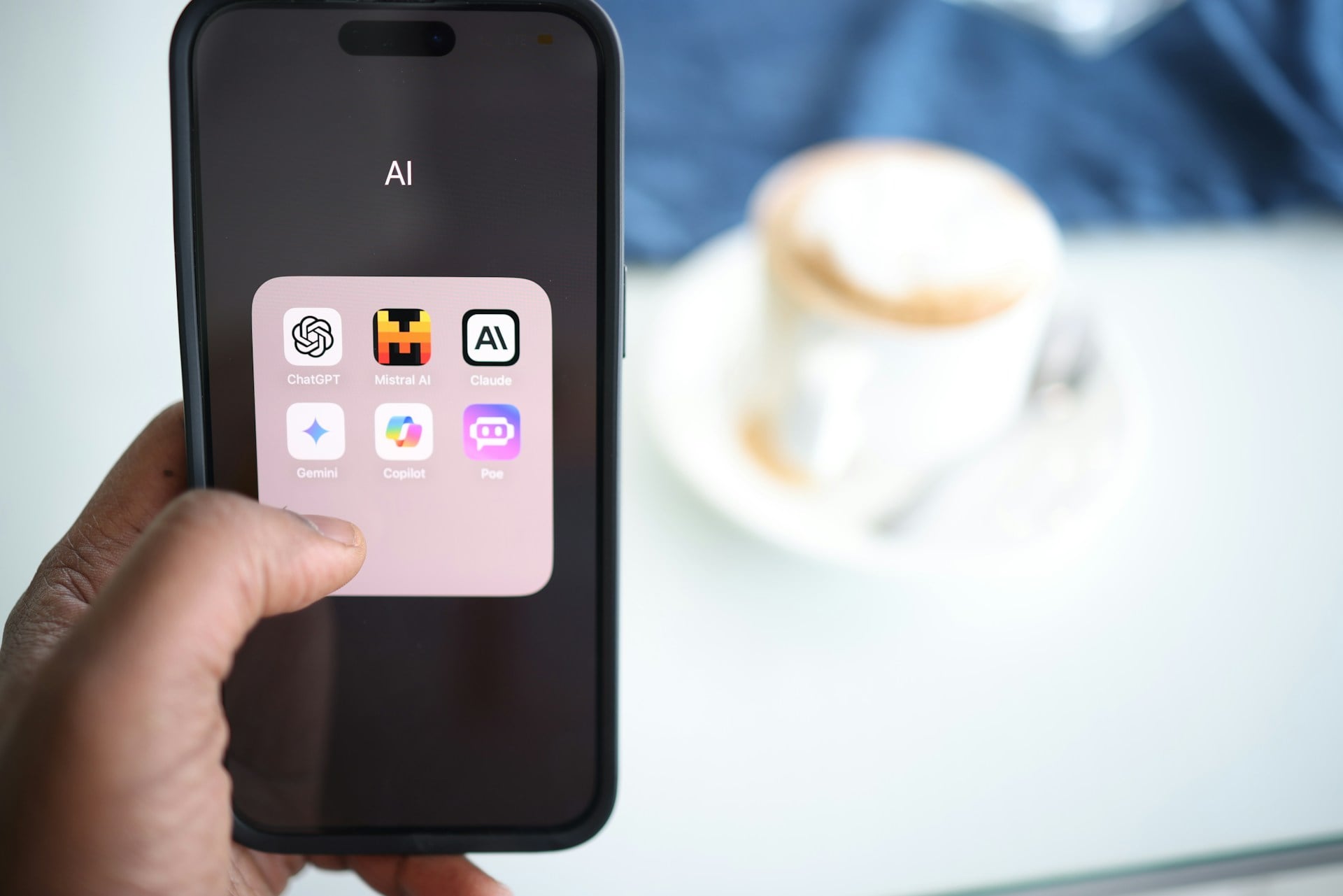
    Notion AI vs ChatGPT: Which AI Tool is the Best for Your Needs?

    Notion AI vs ChatGPT is the hot topic right now because so many folks are curious if they should lean on Notion’s built-in solution or jump into ChatGPT’s approach. A lot of people are juggling tight schedules and big projects, and they want an AI tool that actually helps. This piece is worth your time because it’s not some fluffy PR nonsense. I’m just sharing the truth. I’ve tested both, and I’m breaking down the good, the bad, and the weird to help you pick the AI tool that doesn’t just sound cool but genuinely fits what you’re trying to get done.


    What Are The Similarities Between Notion AI And ChatGPT?

    A lot of people ask about the similarities between Notion AI and ChatGPT.
    They’re both known for being solid AI tools.
    When I talk about “notion ai and chatgpt,” I’m thinking of how they handle user queries, generate text, and help keep projects on track.
    Both tools tap into generative AI, which basically means they use AI to generate responses on the fly.
    If you’ve never tried them, “notion ai and chatgpt” might sound intimidating, but trust me, they’re simpler than you think.
    They’re not gimmicks.
    They can help with “use ai” in day-to-day stuff.
    They’re like having a smart assistant that’s less about buzzwords and more about getting stuff done.
    These aren’t just gimmicky chatbots.
    They’re an “efficient ai tool” that can improve your “productivity” in ways you might not have expected.

    So, what’s cool here is that both Notion AI and ChatGPT are “generative ai tools.”
    They both can handle “ai writing” tasks and give you thoughtful text in seconds.
    They’re both designed to reduce friction.
    If you “already use notion,” slipping Notion AI into your “notion workspace” is straightforward since it’s “within the notion platform.”
    At the same time, ChatGPT is out there for anyone to try, and in fact, “chatgpt is free” to start messing around with.
    If you “compare notion ai vs” ChatGPT, you’ll see both rely on large language models.
    They’re both “ai chatbot” options if you think about it.
    They’re both about helping with tasks and making life easier.


    What Are The Differences Between Notion AI And ChatGPT That Matter Most?

    If you want to “compare notion ai,” one big difference is the way these tools plug into your workflow.
    Notion AI sits “within the notion ecosystem.”
    This is great if you’re a “notion users” fan who doesn’t want to bounce between multiple apps.
    On the other side, ChatGPT lives separately, so you have to copy and paste stuff from one tab to another.
    Another factor: “notion ai vs chatgpt” often comes down to integration.
    “Notion ai integrates” right into pages.
    “Chatgpt also” can help, but it’s not baked into your notes and tasks, so you might miss that extra smooth feel.
    Another angle is cost and limits.
    While “chatgpt can answer” questions easily, advanced features may require “chatgpt plus,” while Notion AI’s pricing aligns with the “notion productivity platform” mindset.

    Let’s talk about how they generate text.
    Some say “notion ai shines” in producing text that fits right into your docs, while ChatGPT is more like an open canvas.
    For instance, if you “ask notion ai” inside your Notion doc, it can pull context from what you’ve written.
    “Notion ai can help” tailor responses to what you’re working on.
    As for ChatGPT, it’s very flexible too, but you’re on your own to format and move text around.
    This might matter if “chatgpt depends on your specific” goals.
    Are you looking for a “productivity tool” that fits your existing system, or are you fine working across different tools?
    The “differences between notion ai” and ChatGPT really show up in how integrated you want your workflow to be.


    Is There Any Reason To Use ChatGPT Plus And Notion AI Together For Productivity?

    Some people wonder if it’s overkill to stack both tools.
    The reality is that “notion ai and chatgpt” can complement each other.
    If you rely on “content creation” in Notion, you can “use notion ai” to get a quick draft going inside your workspace.
    Then, you might “use chatgpt” plus advanced features in ChatGPT to refine that draft further.
    This combo can handle complex research and polishing tasks, helping with “ai writing” in a smooth way.
    For me, pairing them can boost “productivity,” especially if you’re pulling info from one tool and shaping it in the other.
    It’s not a must, but it’s a cool option if you’re deep in big projects.

    Another angle is how “chatgpt offer” unique strengths and how “notion ai offers” convenience.
    If you’re building a knowledge base “within the notion” environment, having Notion AI rewrite sections saves you time.
    Then, you can jump into ChatGPT’s interface for more creative flair.
    This is where “chatgpt to find the best” angle might shine.
    You can feed both tools different prompts and compare results.
    Sometimes you’ll find ChatGPT’s response is better.
    Sometimes Notion AI hits the mark.
    You’re basically getting the best of both worlds.
    For people who “want to use ai” in a deep way, it’s like having two different lenses on the same text.
    One is baked into your everyday space.
    The other is a more neutral playground.


    How Does The Notion AI Feature Fit Into An Everyday Workflow On The Notion Platform?

    The “notion ai feature” is designed to live “inside the notion” environment, which means it’s always there.
    It’s great if you “use notion” to organize tasks, notes, wikis, and all that.
    With one click, “notion ai can automate” the rewriting of a paragraph, cleaning up messy notes, or generating fresh text.
    For a busy person, that’s huge.
    It’s not just about saving a few clicks.
    It’s about building a world where you never leave your “notion workspace.”
    The “notion ai uses” your existing content to understand what you’re after.
    It’s basically letting you “use ai tools” in your notes without copying things around.

    This “ai integration” feels natural if you’re “familiar with notion.”
    That’s the difference: you’re not just plugging a tool into another tool.
    You’re running an AI layer “within the notion platform,” which means it just fits.
    Whether you’re updating a project doc, brainstorming with your team, or adjusting some text, you can do it right there.
    This is what makes “notion ai is a powerful” add-on for those living in that environment.
    If you think about it, it’s a “versatile ai” addition that’s not demanding you learn new habits.
    You just do your thing, and when you need smarter text or ideas, Notion AI steps in without messing up your flow.


    Can You Use ChatGPT For Content Creation That Feels Natural?

    When people talk about using ChatGPT for “content creation,” they often worry about robotic vibes.
    But “chatgpt can provide” some surprisingly human-like text.
    I’ve asked it to tweak blog posts, generate catchy titles, and it usually lands some decent lines.
    “Chatgpt can automate” repetitive writing tasks, from summarizing articles to drafting emails.
    It won’t judge you or get tired.
    It just keeps going.
    That said, I wouldn’t just copy its output blindly.
    The best results come when you guide it carefully.
    The beauty here is that “chatgpt might” surprise you with new angles.

    Also, since “chatgpt is a chatbot,” you can have a back-and-forth conversation.
    This “conversational ai” aspect is gold if you’re stuck.
    Ask it questions like, “What’s a better opening line?” or “How do I add humour here?” and “chatgpt will respond” with fresh ideas.
    This makes “content creation” feel less like a chore.
    It’s like talking to a writing buddy who always has time.
    If you need even more advanced features, consider “chatgpt plus,” which might bring better performance or more options.
    Even if you “use chatgpt for free,” it’s a great starting point.


    Which AI Tool Offers The AI Capabilities And AI Features You Want?

    When you think about “which AI tool offers the ai capabilities” that matter to you, it’s about personal needs.
    “Notion ai and chatgpt” both have “ai features,” but how they’re delivered differs.
    If you’re big on structure and workflows, “notion ai excels” at keeping everything in one place.
    If you want more wide-ranging creativity, ChatGPT might be the jam.
    This “ai tool is the best” thing isn’t a blanket statement.
    It’s about fit.
    Do you need a “powerful tool” inside your note-taking system, or do you prefer a standalone sandbox for ideas?

    Think about what you want to do.
    If you run a project inside Notion and “notion ai helps” refine your text without leaving the page, that’s a win.
    If you’re a freelancer who just wants quick help with brainstorming, ChatGPT can live on the side and spit out ideas on demand.
    Also, “chatgpt offer” can mean variety.
    You can tweak prompts, get different angles, and use it like a writing partner.
    On the other hand, “notion ai integrates” well into your data, so it might give more context-aware suggestions.
    The “ai capabilities” differ.
    It’s like asking: do you want a Swiss Army knife that’s inside your existing toolbox or a standalone gadget that does one thing really well?


    What Are Some Use Cases For Notion AI And ChatGPT To Consider?

    If you’re scratching your head about actual “use cases,” think about daily tasks.
    Let’s say you’re writing a report in Notion.
    The “notion ai to help” rewrite a messy paragraph could save you time.
    If you’re trying to outline a blog post, “notion ai could” give you a kickstart right where you work.
    If you need more detailed research or varied takes, “ask chatgpt to create” alternate versions.
    This combo can handle all sorts of “differences between notion ai” and ChatGPT tasks.
    Each has strengths that show up differently depending on what you do.
    If you’re doing “ai writing” for internal docs, Notion AI might be perfect.
    For brainstorming a marketing campaign, ChatGPT’s broader perspective might shine.

    Also, think about scaling up.
    If you manage a team inside Notion, “notion ai can help” everyone level up their docs.
    If you’re a solo entrepreneur, “chatgpt to find the best” angle for your pitch might be handy.
    If you “sign up for notion,” you can get started fast and tap into “notion ai offers” to get more from your “notion ecosystem.”
    If you look at the “similarities between notion ai” and ChatGPT, both tools are about making life easier.
    Focus on what fits your workflow and what’s going to raise your “productivity.”


    Does Conversational AI Make Any Difference For Productivity?

    A lot of us have wasted time rewriting the same info over and over.
    “Conversational ai” tools like ChatGPT and Notion AI remove that hassle.
    They don’t roll their eyes or get tired.
    They’ll help all day long.
    This “generating responses than chatgpt” or Notion AI thing is about skipping dull steps.
    It’s not about showing off flashy tech.
    If you “notion ai works” inside your familiar system, it makes it easy to “use ai tools” whenever you need.
    That’s a boost in “productivity.”
    “Notion ai seems” good at weaving into your docs without breaking your flow.

    At the same time, ChatGPT sits there ready to answer whatever you throw at it.
    As an “alternative to chatgpt,” you might rely solely on Notion AI if you like everything in one place.
    Or maybe ChatGPT alone is good enough for what you do.
    Either way, this new “conversational ai” approach turns writing from a chore into something quicker and lighter.
    It’s all about cutting down on busywork and letting your energy focus on the parts of your work that matter.
    That’s what makes both tools appealing in a world where we’re always juggling too much.


    How Do You Make The Choice Between Notion AI And ChatGPT Without Regrets?

    The “choice between notion ai” and ChatGPT is personal.
    Ask yourself: do you “already use notion” daily?
    Do you want an AI layer right inside your “notion workspace?”
    If yes, “notion ai is a powerful” way to do that.
    If you don’t rely on Notion and just need a quick AI buddy, ChatGPT might be simpler.
    Consider what tasks you handle most.
    Do you rely on note-taking, project management, and wikis “within the notion ecosystem?”
    If so, “notion ai integrates” smoothly.
    If you prefer a tool that’s separate and flexible, ChatGPT fits.
    Also, costs matter.
    Check the pricing of both.
    Some people swear by one or the other, but “chatgpt depends on your specific” needs.

    Also think about how each option feels day-to-day.
    Try a free test.
    “Use chatgpt for free” to see if it gives you what you need.
    Try “use notion ai” and see if it boosts your efficiency.
    Check the “best chatgpt” tricks or “version of chatgpt” that might add features you like.
    Same with Notion AI.
    Do you find yourself asking it questions and getting decent results?
    Does it cut your editing time?
    If yes, stick with it.
    “Notion ai boasts” a neat integration and can keep your workflow tidy.
    On the other hand, ChatGPT stands on its own, and if that’s what you need, no shame in going that route.
    At the end, “compare notion ai vs” ChatGPT and trust your gut.


    Is A Notion AI Vs ChatGPT Comparison Helpful For Finding The Best AI Solution?

    A “notion ai vs chatgpt comparison” can help you figure out what’s right for you.
    You get a sense of “compare notion ai vs” ChatGPT directly.
    Both are “generative ai” solutions but serve different styles of working.
    Look at the “features of these ai tools” and how they stack against your habits.
    Check the “number of ai” integrations you need.
    “Notion ai helps” you get things done if you’re living inside Notion anyway.
    “Chatgpt can provide” a more open-ended approach.
    Both tools “ai can provide” support for “ai writing,” note-taking, or brainstorming.
    Either way, you end up with a “best ai solution” that fits you, not just the hype.

    “Notion and chatgpt” both aim to help you get more done with less grunt work.
    “Compared to notion ai,” ChatGPT might be more flexible but less integrated.
    “Compared to chatgpt,” Notion AI is right there where your work already lives, but maybe less flexible in some cases.
    At the end of the day, a side-by-side check lets you pick with confidence.
    If you “notion ai excels” in your environment, go for it.
    If you prefer a standalone chatbot, chatgpt might be the best match.
    “Notion ai works” well if you’re tied into Notion.
    If not, a neutral option might work better.
    Either way, “ai has proven” useful, and we’re lucky to have choices like this.
    Notion AI vs ChatGPT is all about picking what lines up with your work and style.


    Common FAQs About Notion AI And ChatGPT

    Q: Can I “use chatgpt” and Notion AI together?
    A: Yes.
    You can draft something in Notion AI and then polish or fact-check with ChatGPT.
    They’re not exclusive.

    Q: Is “notion ai vs chatgpt” a settled debate?
    A: No.
    Both tools evolve, so test them out to see which fits your workflow.

    Q: Does “chatgpt also” help with coding or research?
    A: Yes, ChatGPT is flexible.
    It’s not just for text.
    Try different prompts.

    Q: How “notion ai integrates” compared to ChatGPT?
    A: Notion AI lives right inside your pages, while ChatGPT sits outside.
    Decide if that matters to you.

    Q: Can “notion ai can help” rewrite my notes fast?
    A: Absolutely.
    It can improve wording and clarity inside your docs.


    Bullet Point Summary Of Key Points

    • Both Notion AI and ChatGPT rely on “generative ai” for text tasks.
    • “Notion ai and chatgpt” share a goal: make writing and organizing info easier.
    • Integrations differ: Notion AI sits “within the notion” setup, ChatGPT stands alone.
    • “Chatgpt plus” can add more advanced features.
    • “Use notion ai” if you’re already deep in Notion’s system.
    • “Notion ai is a powerful” helper inside your workspace.
    • “Chatgpt offer” flexible prompts for creative tasks.
    • Think about “use cases” and what fits your daily grind.
    • “Ai tool is the best” is not a one-size-fits-all statement.
    • Try them both and see how they feel in real work.
    • Picking between them should revolve around your comfort, “productivity,” and the specific problems you face.